Chrome Autofill - Turn Off
Google Chrome may offer to save usernames, passwords, addresses, and payment information as you use TixPro 8.
We highly recommend turning off these autofill and save options on computers used for ticket sales. This helps prevent customer information from being accidentally saved and keeps Chrome from asking to save information during each transaction.
To Turn this off in Chrome:
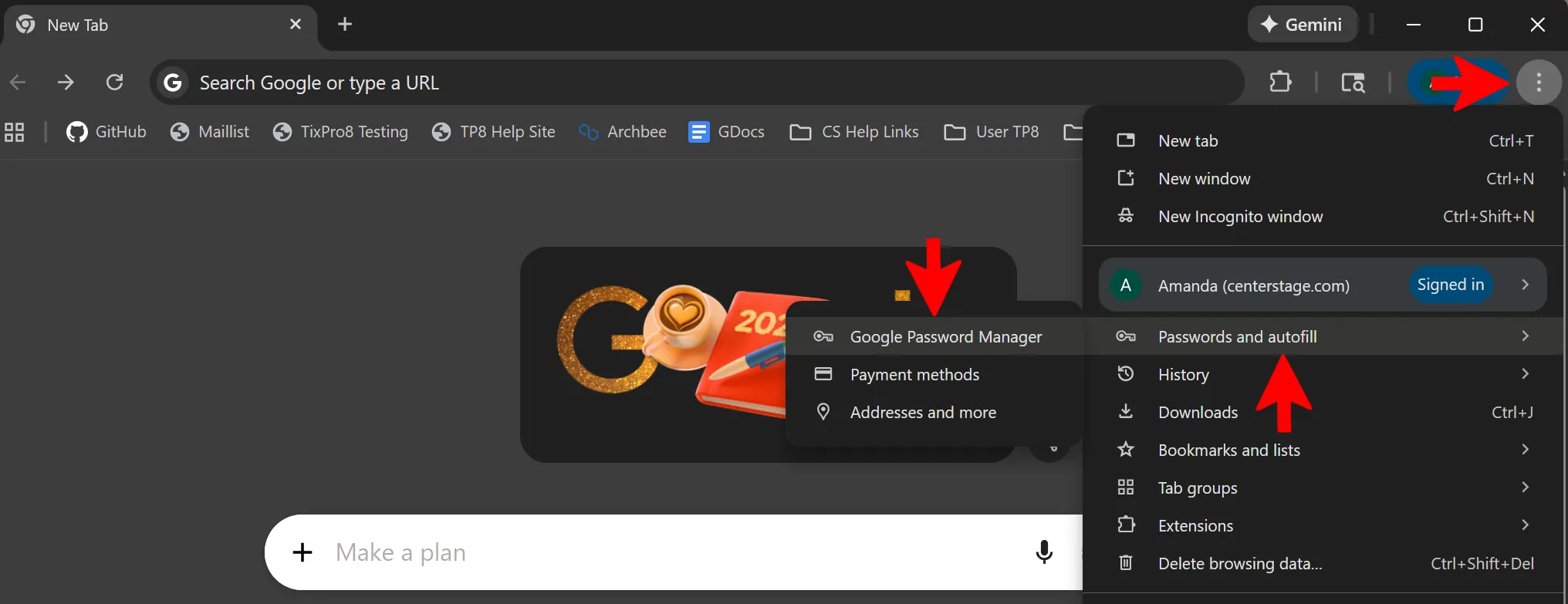
- Click the three dots in the upper-right corner of Chrome.
- Select Passwords and autofill.
- Select Google Password Manager
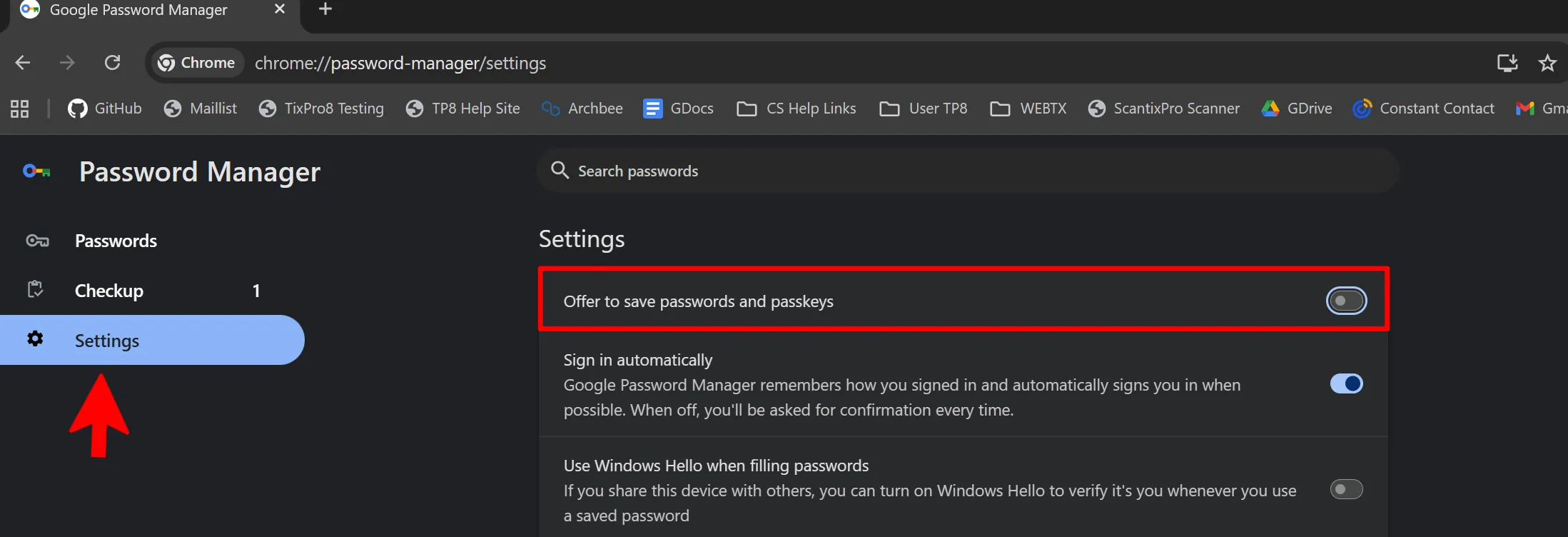
- On the left-hand side, click Settings.
- Toggle off Offer to save passwords and passkeys.