Splitting Sales
Split sale allows you to separate tickets from an already created sale to another sale or customer.
Splitting A Single Ticket Sale
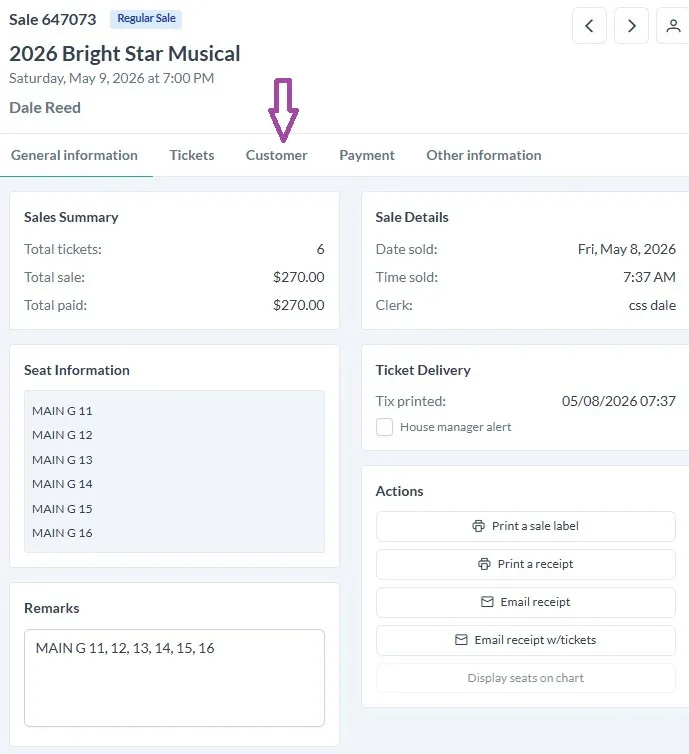
Find the sale record you wish to split. Then click on the Tickets tab-
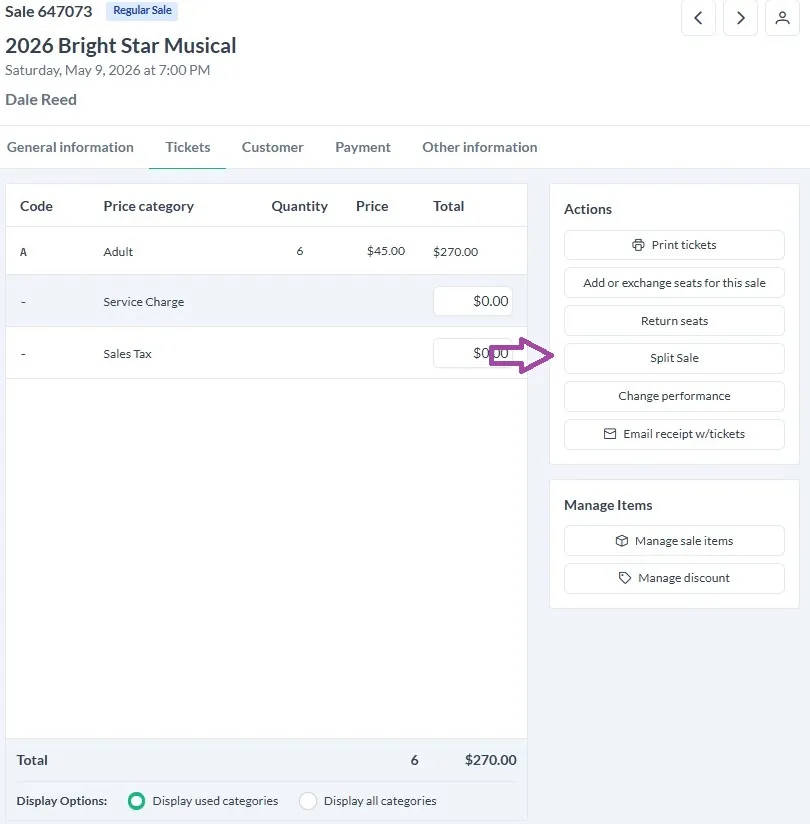
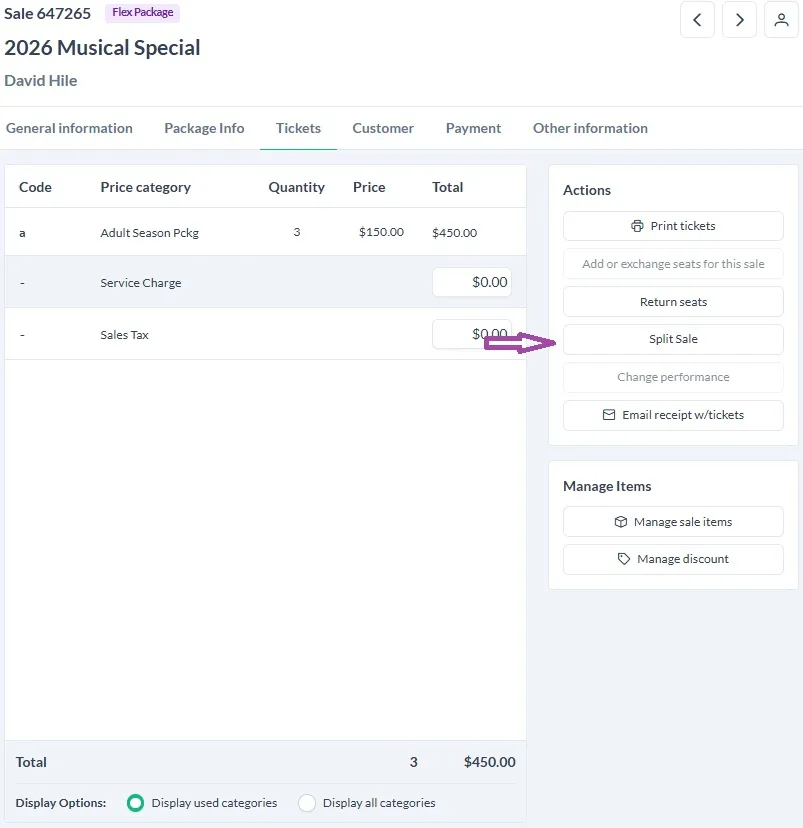
Then click Split Sale-
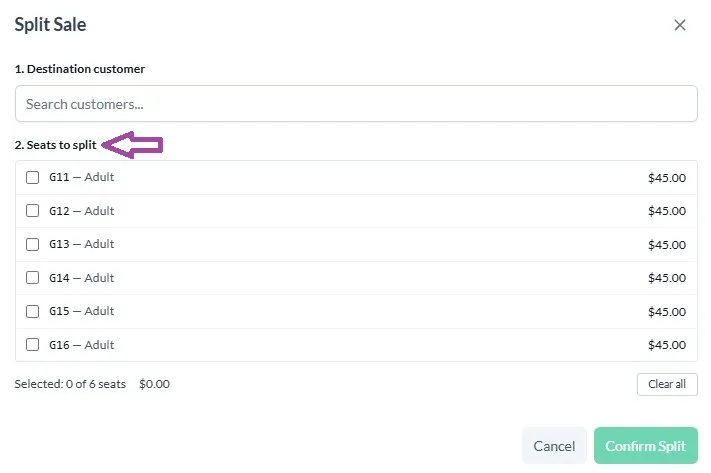
In the Split Sale window Look up the customer that you want to create the new sale for (this can be the same customer)-
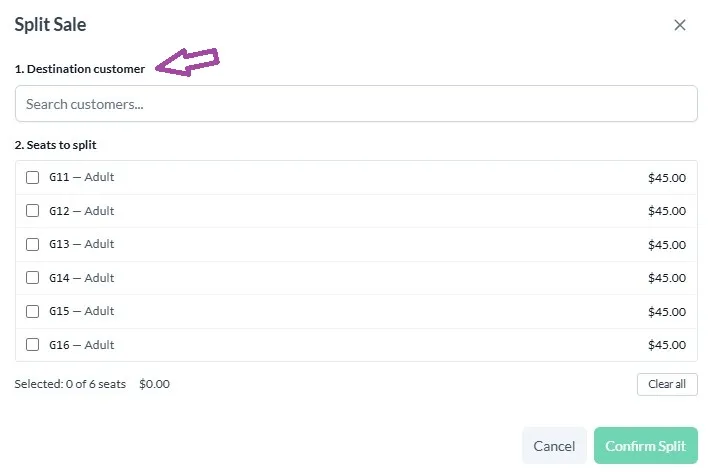
Then select the seats you want to move to the new sale-
Once you have the seats selected you can then Confirm Split-
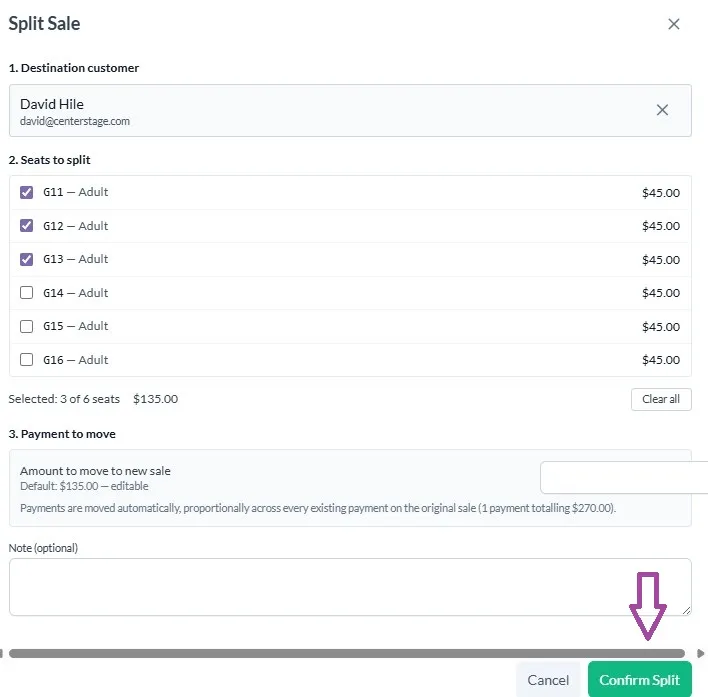
The new sale will be in balance as will the sale that you split from. the new sale will be the newest in your sales list.
You can then change performance on the new sale or add seats.
Splitting Season Packages
If you want to split just one sale for an event included in the season package sale then follow the instructions for Single Tickets.
If you find that you want to split an entire package or the majority of events the process is fairly similar to single tickets!
Start by opening the season package header sale in your sale records. Then go to the tickets tab and click Split Sale-
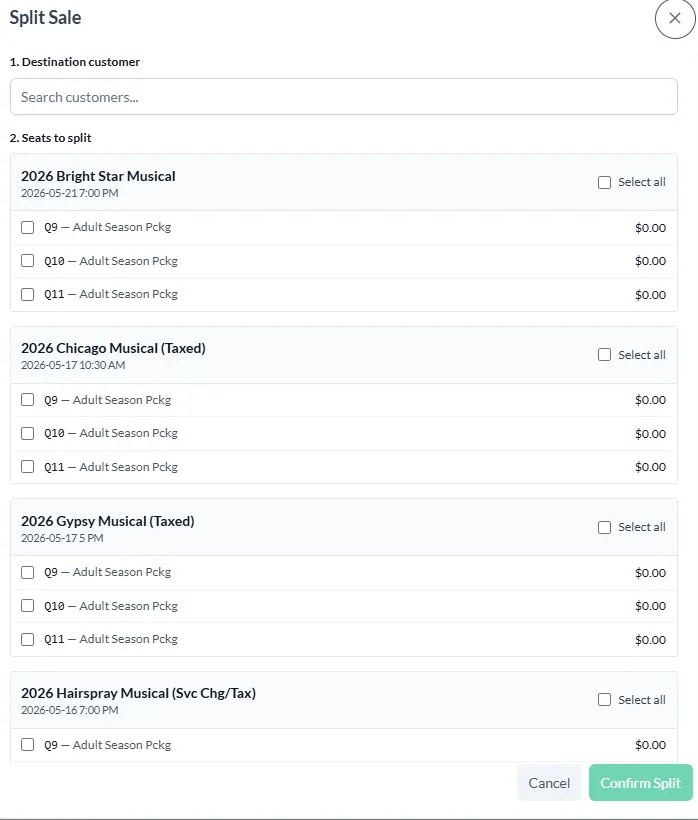
You will notice that the Split Sale Screen has a little more going on. Don't worry everything works the same.
Start by looking up the customer you want the split sales to transfer to. This will put a season package under their name as well.
Then select the seats for the sales that you want to split. If you don't want to split for a sale simply leave those selections blank.
Then click Confirm Split!