Gift Cards
Gifts card are another option you can offer to your customers. Read below for instructions.
Setup
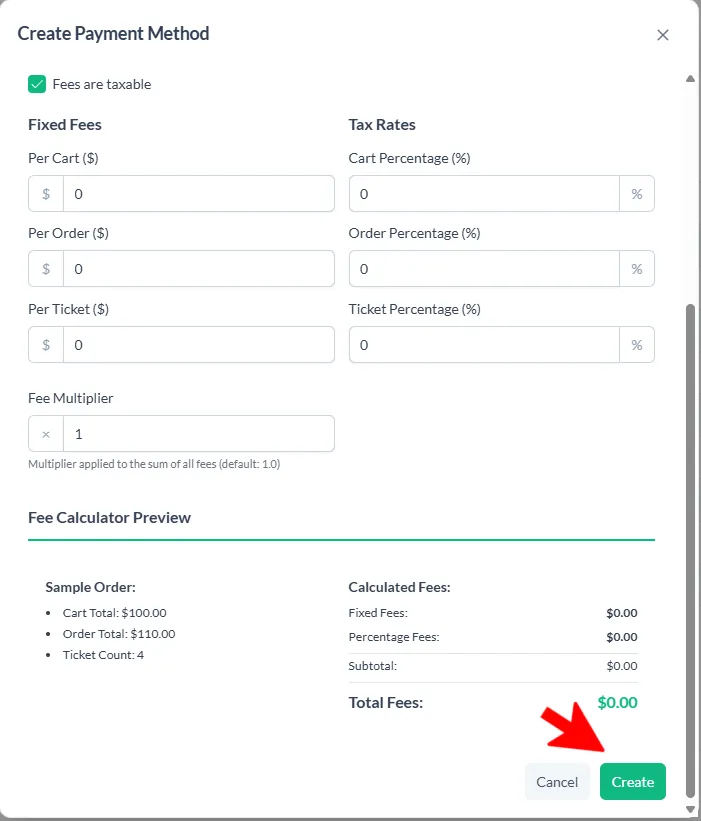
In order to start using Gift Cards you will need to add a payment type to accept gift cards.
File > Payment Methods > +Add New Payment Method
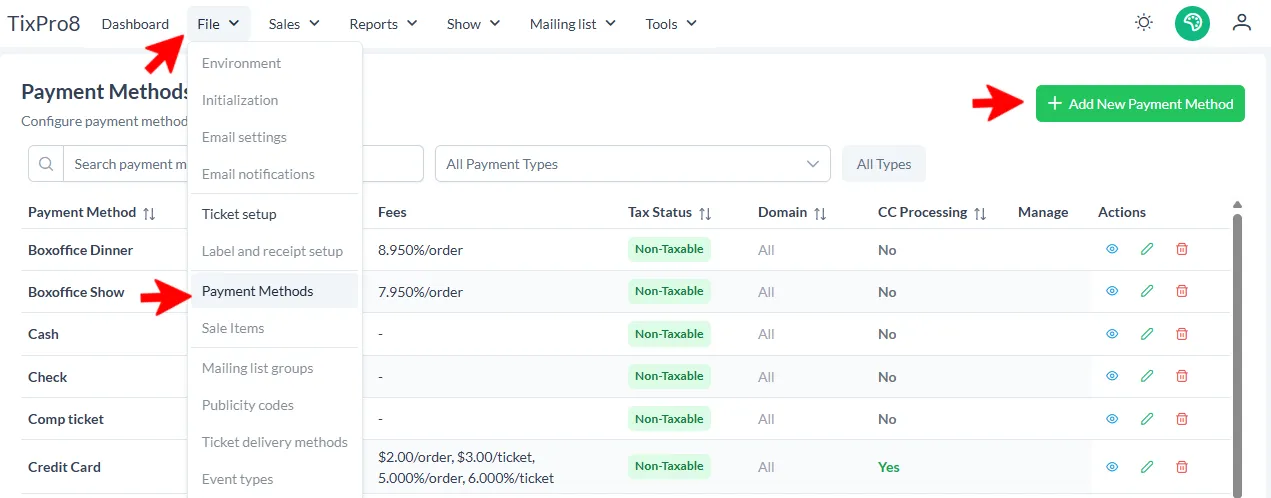
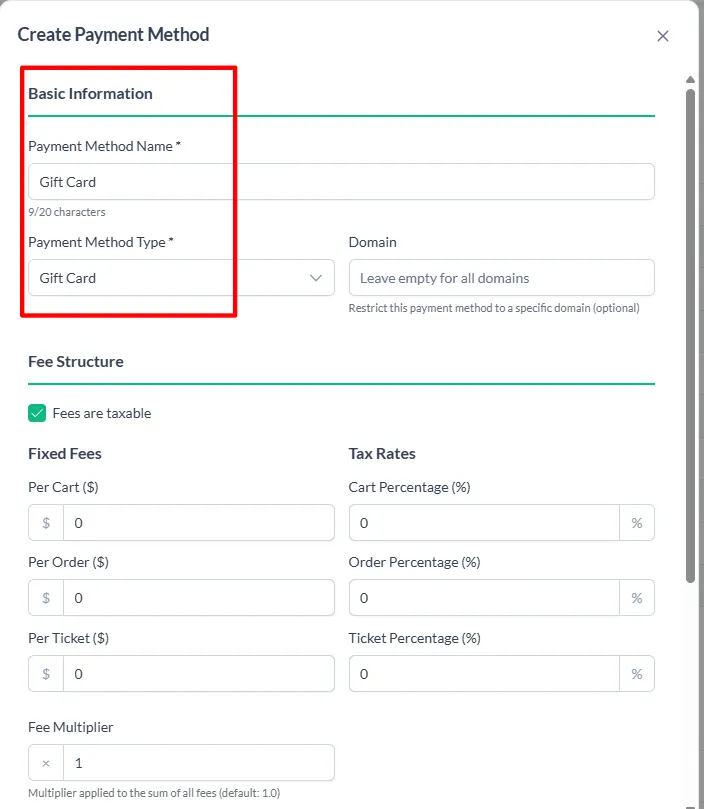
Required Fields are
- Payment Method Name: Gift Card
- Payment Method Type: Must have Gift Card selected in order for the gift card number to be redeemable when checking out
Click “Create”
Selling
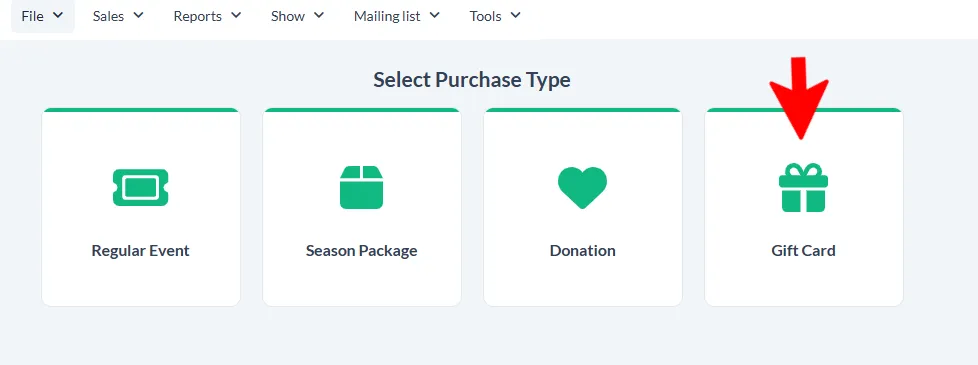
Selling a Gift Cart is very similar to selling events!
Sales > Create a Sale > Gift Card
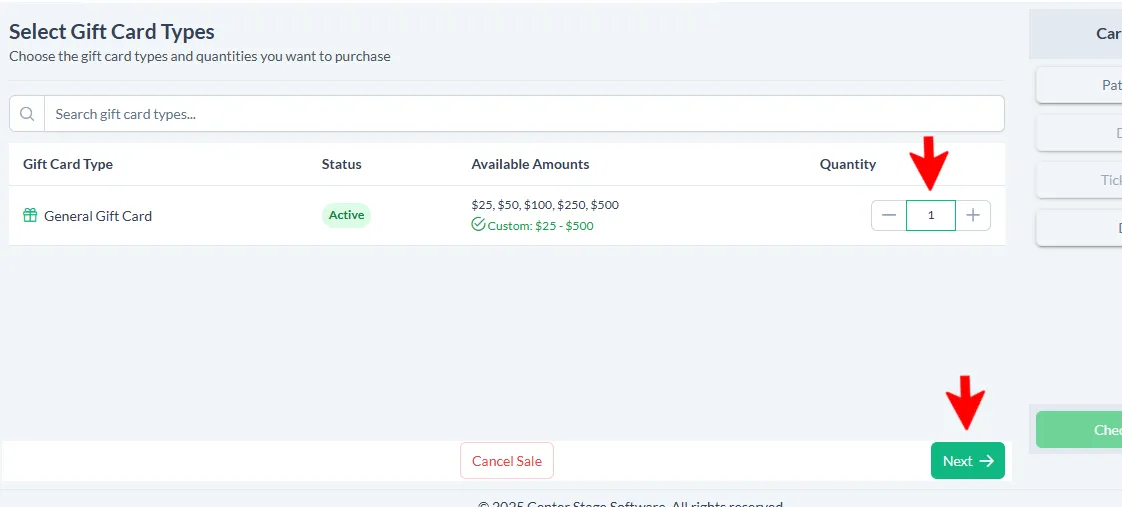
Choose the number of gift cards you would like to sell > click “Next”
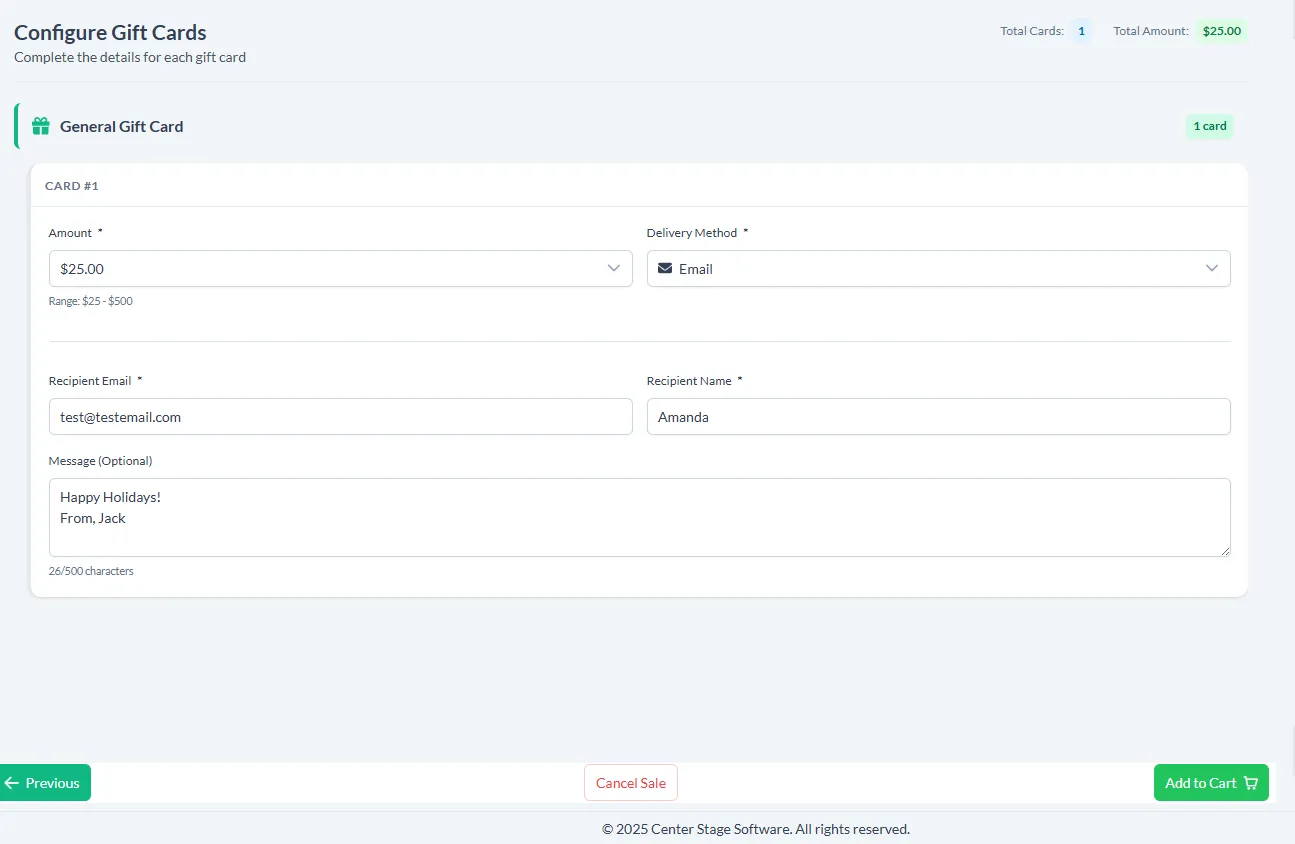
Amount: Click the dropdown to choose a predetermined amount or enter custom amount
- If you choose custom amount you are able to type in a unique amount
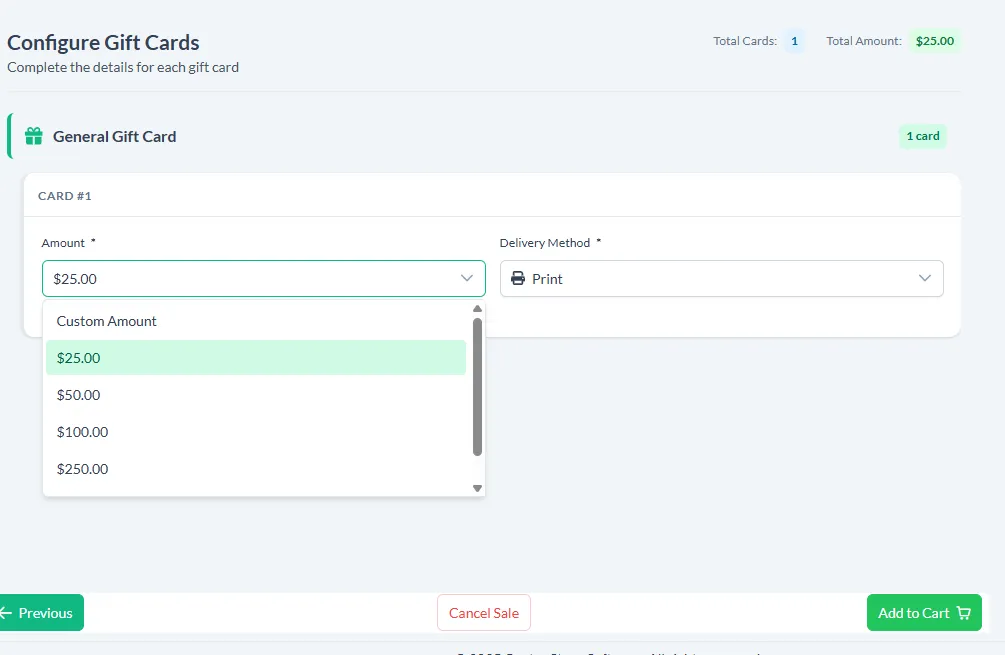
Delivery Method:
Choose Print or Email
- If you select email you will need to enter an email address and name
- If you select print you will be able to print the gift card after the checkout is completed
Redeeming at Checkout
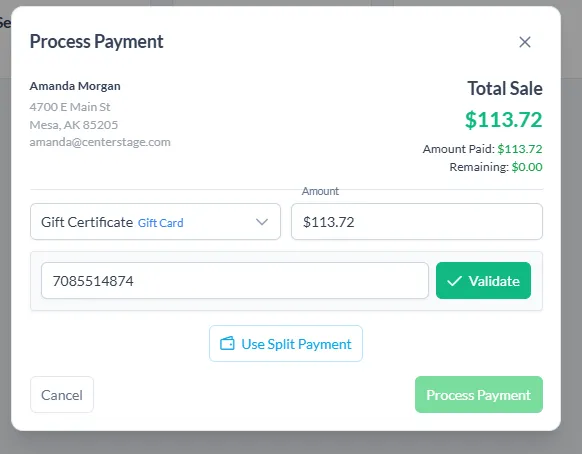
When you are at the payment screen you will select Gift Card as the payment method and enter the gift card number. Then click “Validate”
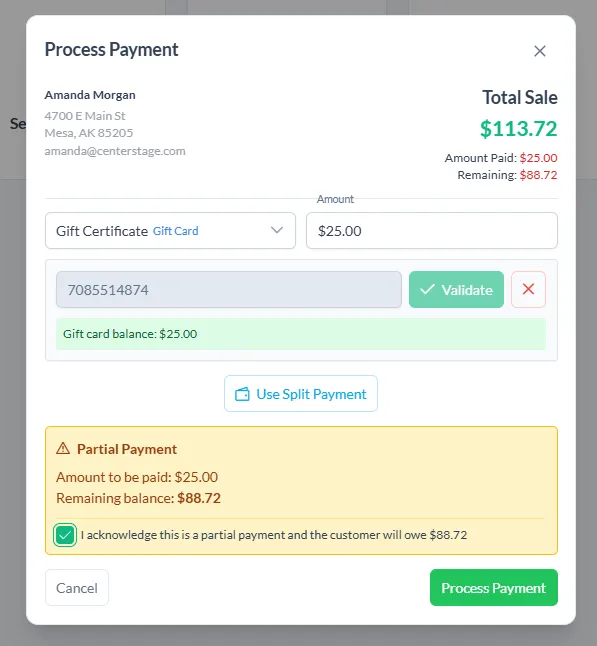
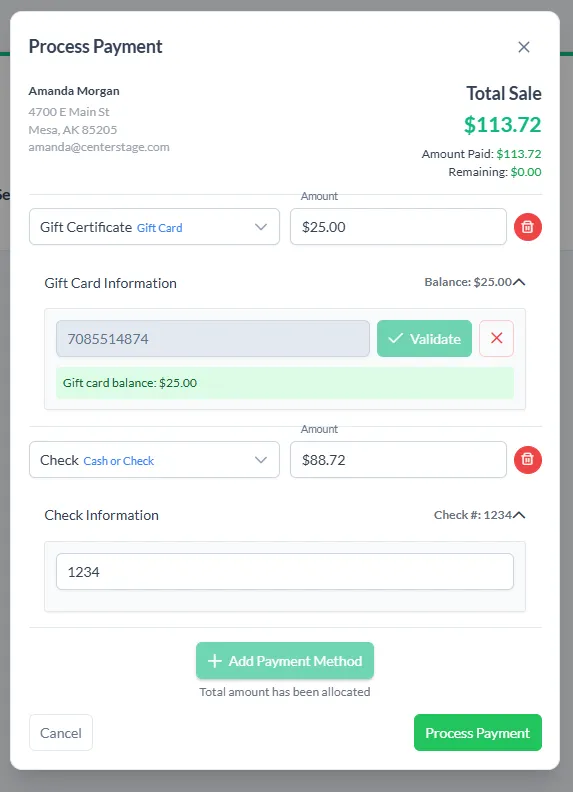
If the gift card does not cover the full purchase amount, the remaining balance will be calculated. You will need to click split payment and add another payment method(s) to cover the remaining balance. Once all payments are entered, click process payment!
Discounts
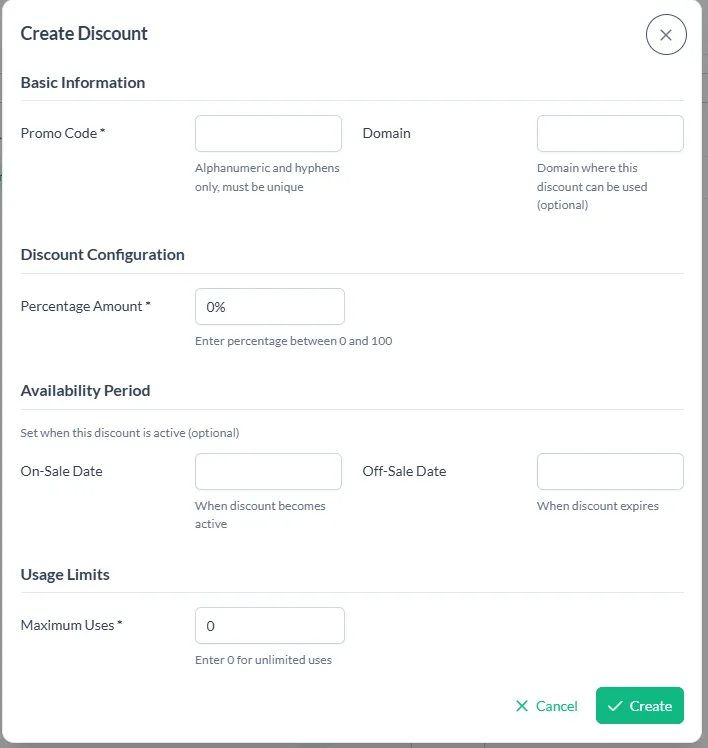
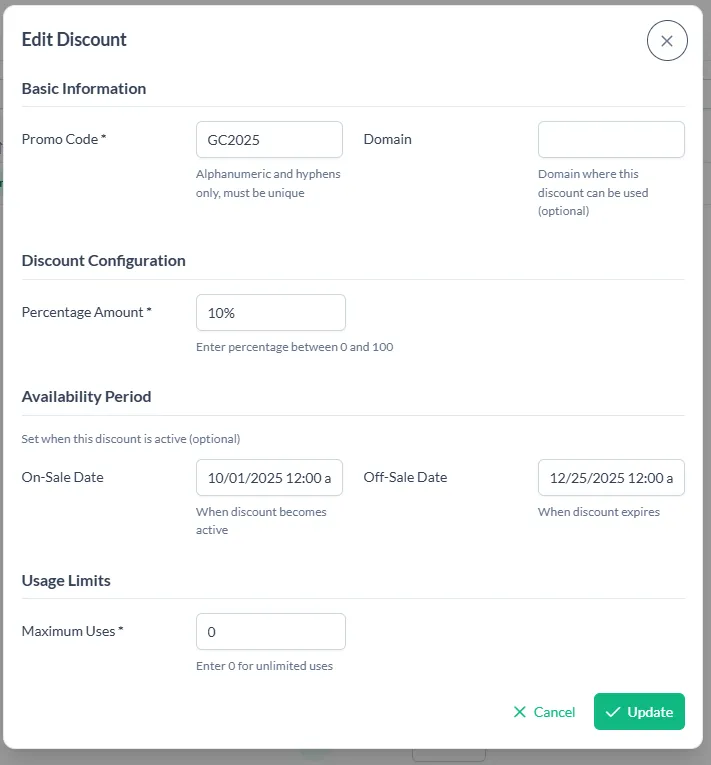
You are able to easily add a discount code for your gift cards!
Show > Gift Cards > Discounts > + Create Discount
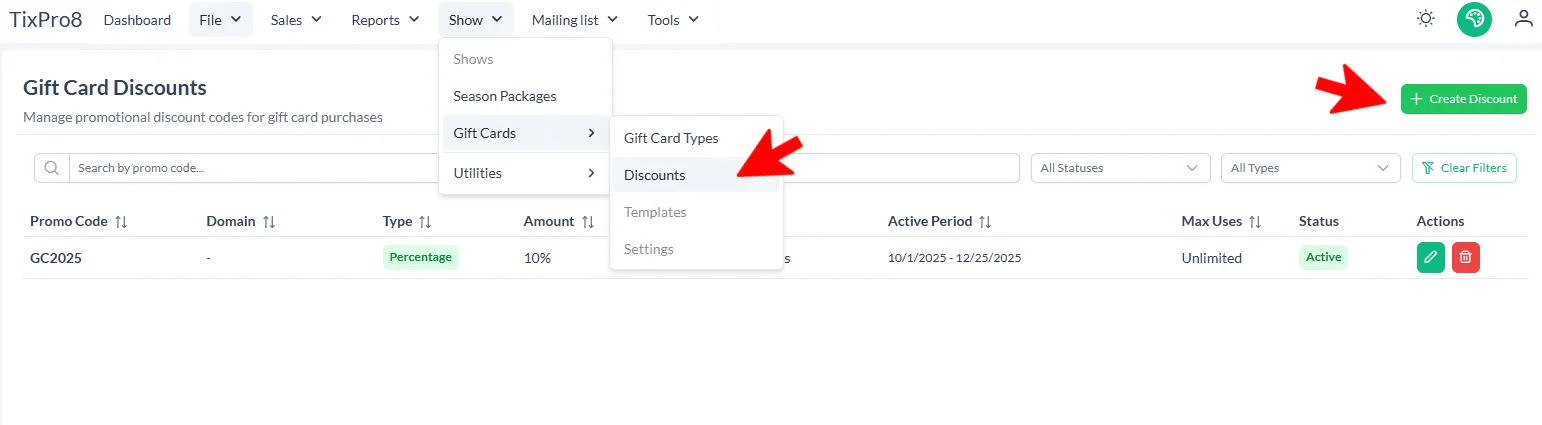
Fill out the required information. Required fields are: Promo Code - Percentage Amount - Maximum Uses