Seat Search
Seat Search allows you to find what performances have specific seats available. This is great for patrons that have preferred seats - you can easily tell them which performances are available!
Sales > Create a sale > Regular Event
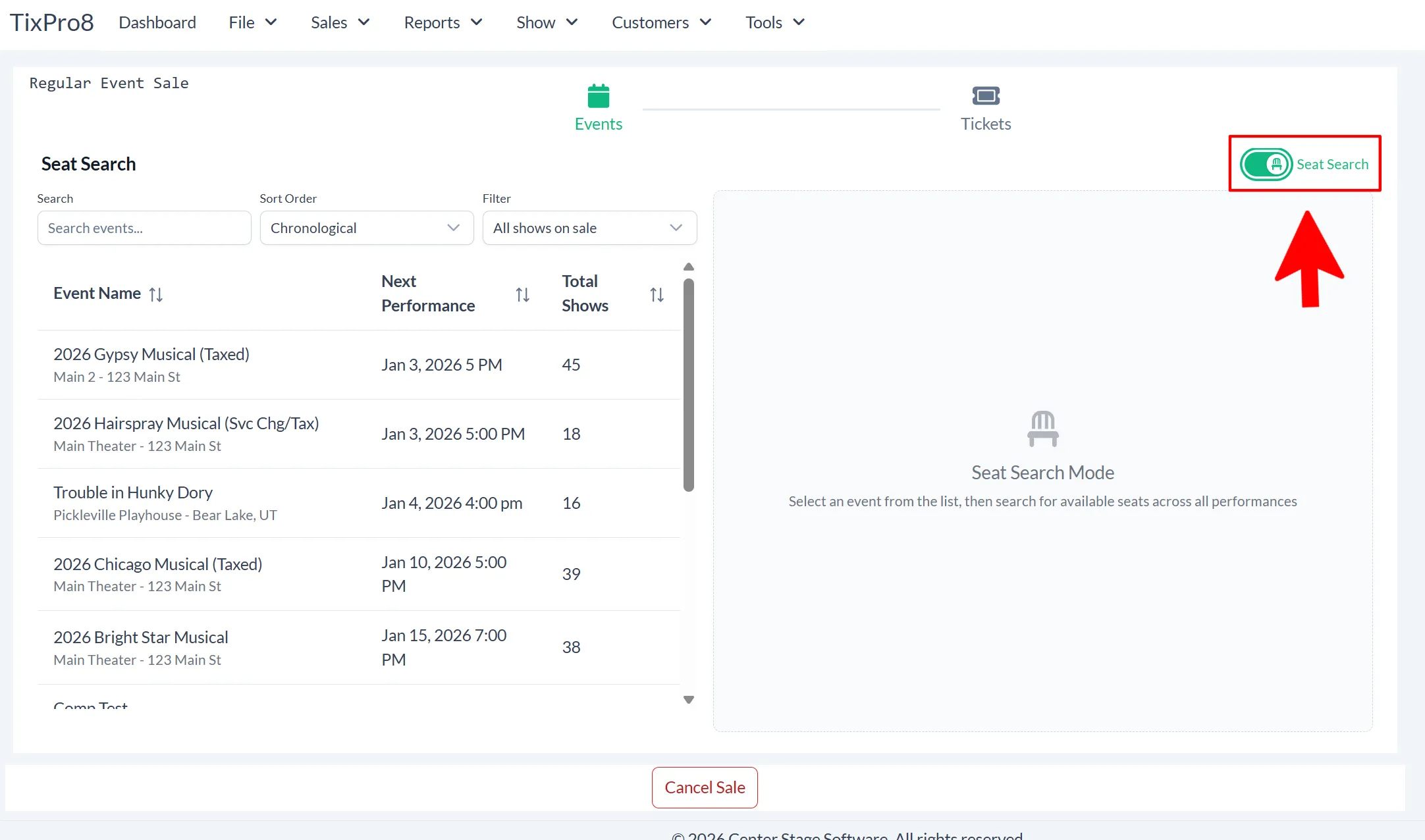
Turn on Seat Search and select an event
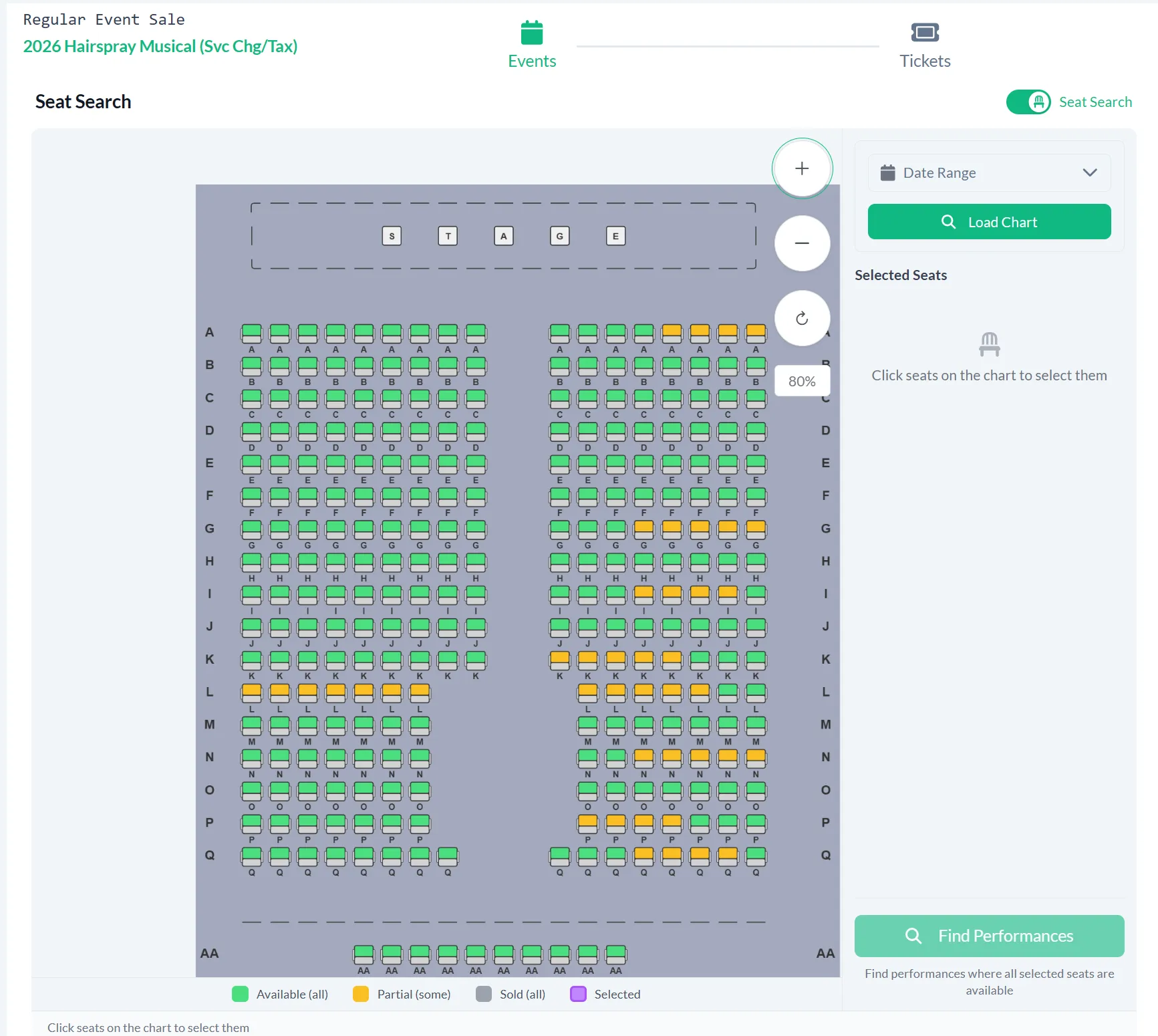
The seating chart will load and you will see the chart color coded by availability.
Green: Available for all performances
Yellow: Available for some performances
Gray: Not available for any performances
Purple: Selected
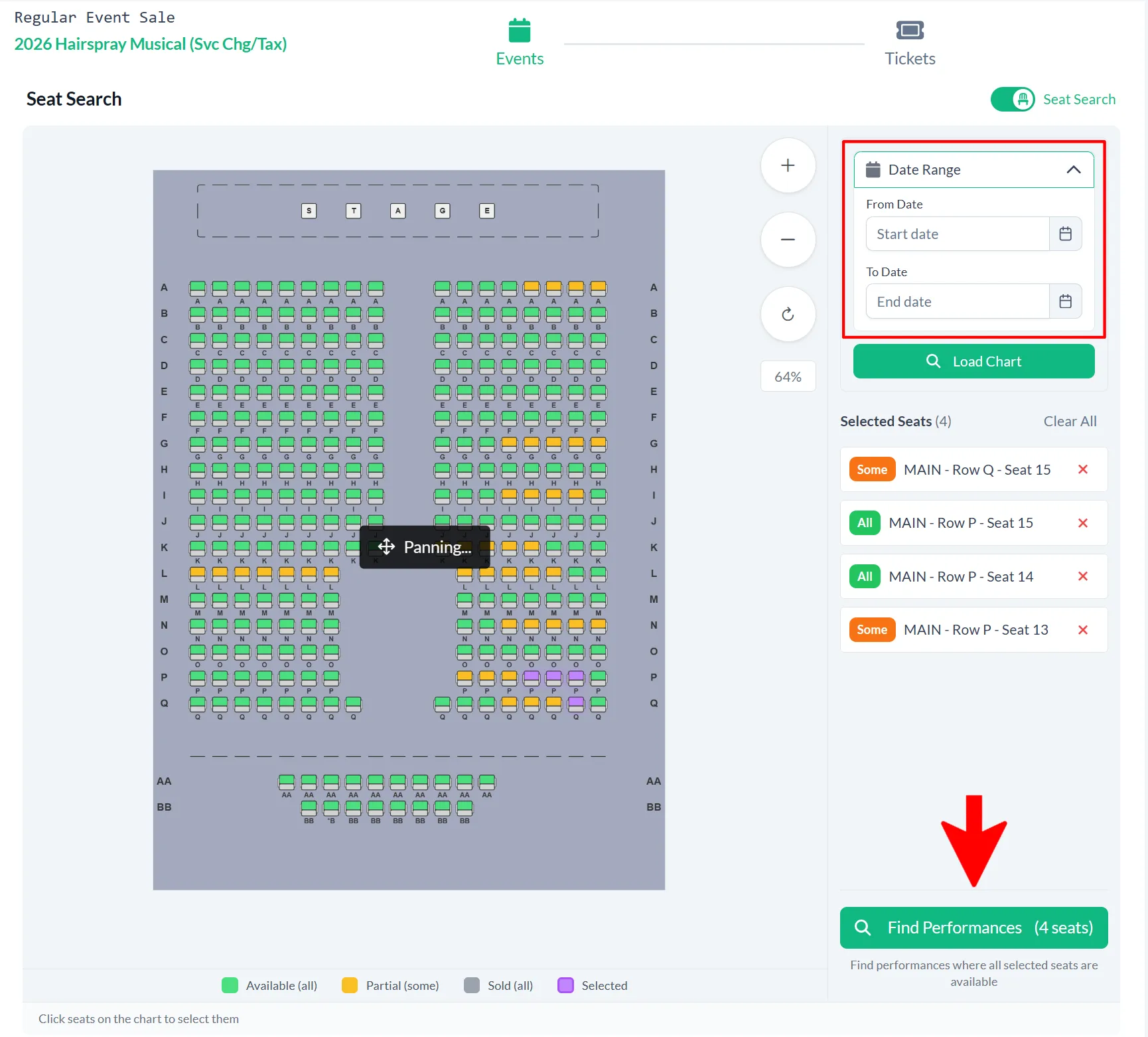
Click on the seats you would like to search
You can also choose a date range of performances to narrow the results.
Click on “Find Performances”
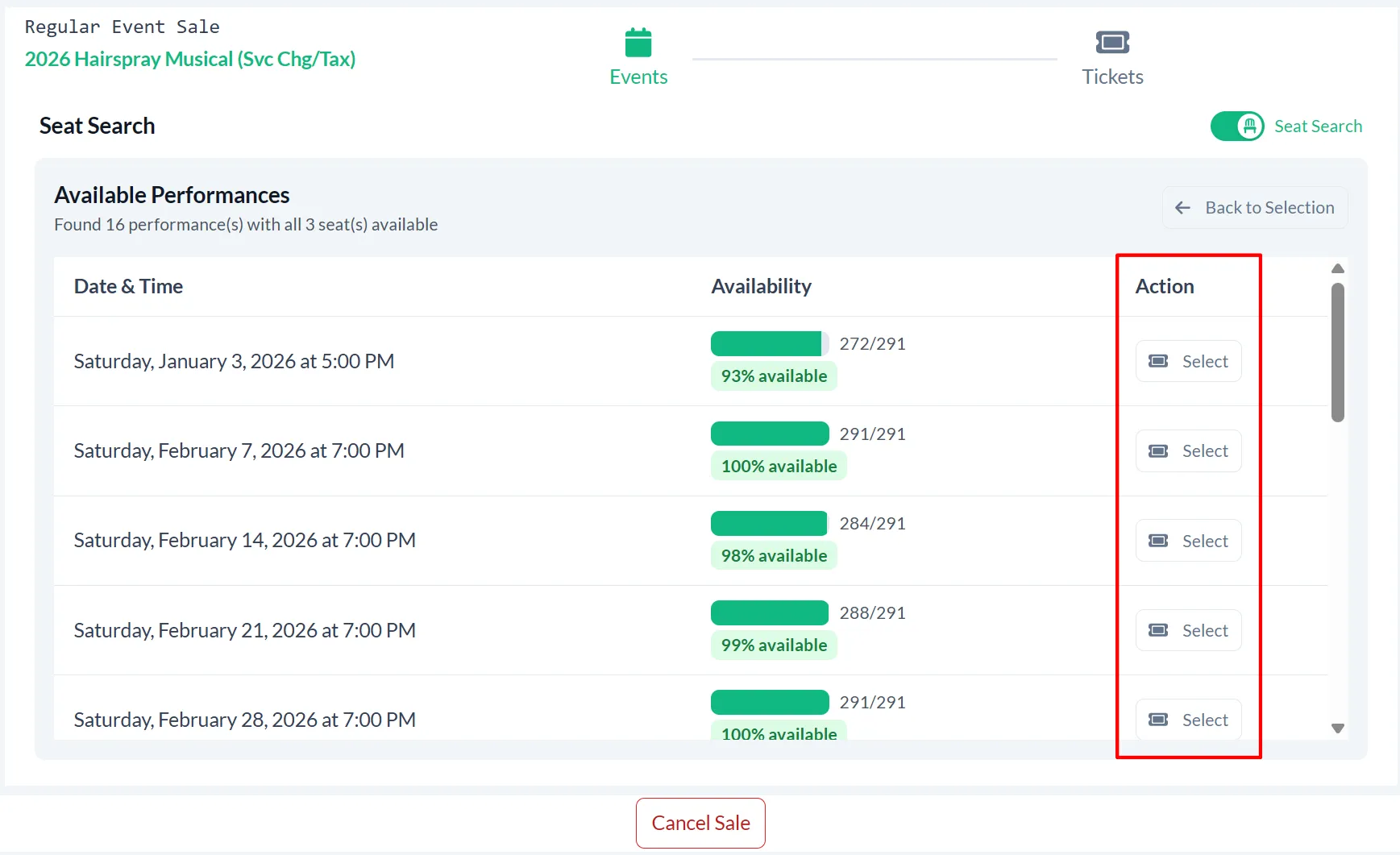
This page shows which performances are available for the seats you selected. Click the “Select” button to choose the performance.
You can now finish adding the seats to the cart and check out when you’re ready!
Selling a Regular EventAdd to cart