Seat Hold
We’re so excited to announce a brand new feature - Seat Holds! Instead of holding seats under a sale, you can hold them with your own specifics!
Hold TypesHold Types | Applying a HoldApplying a Hold | Releasing a HoldReleasing a Hold
Hold Types
You will first need to set up the hold specifics.
Tools > Seating Plans > Seat Holds
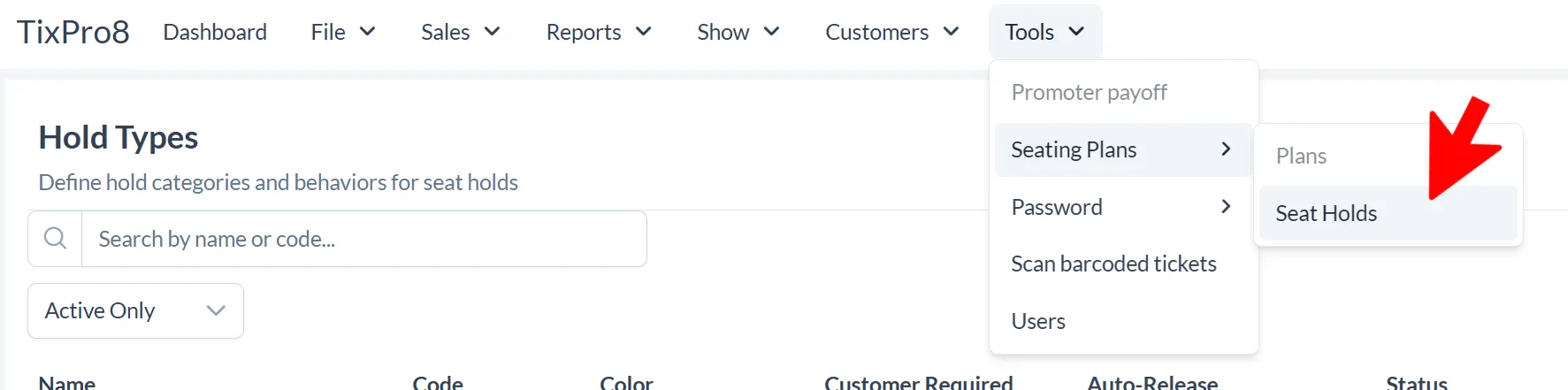
You will need to create a seat hold type.
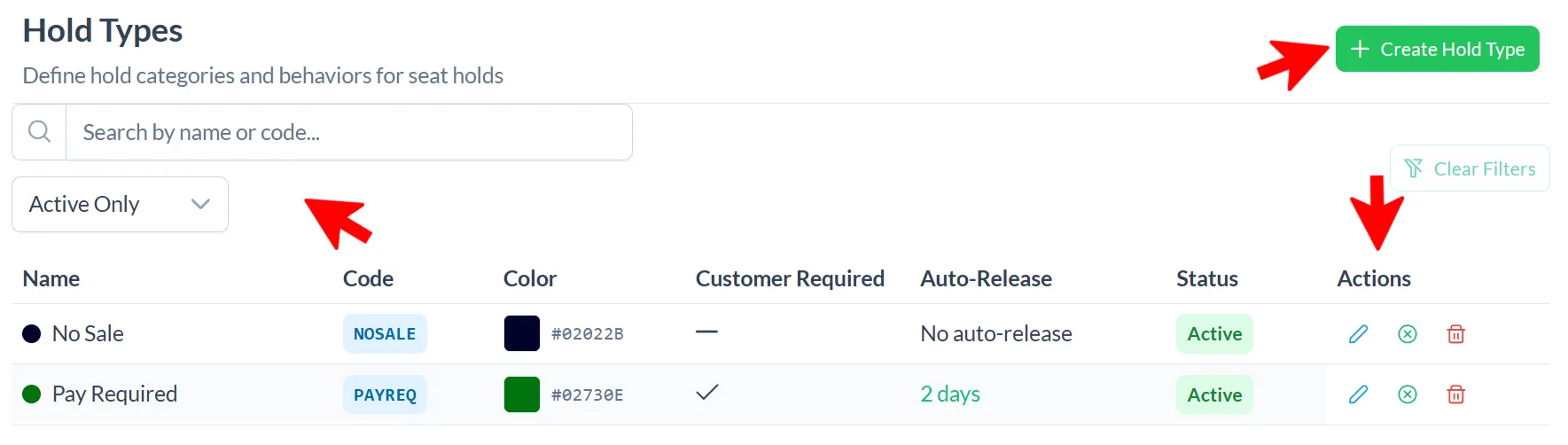
Click + Create Hold Type

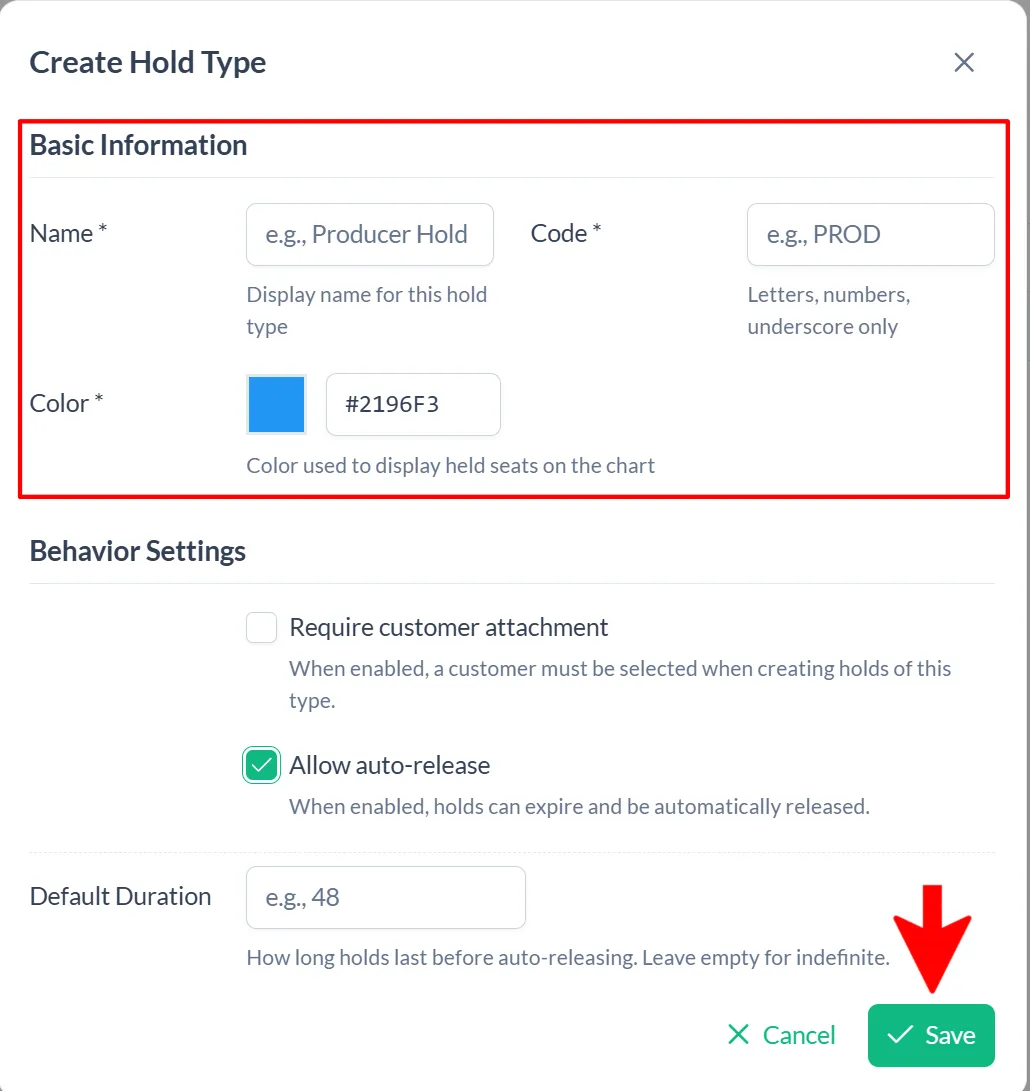
Basic Information is required: Name of Hold, Code, and Color (this will be the color used on the seating chart).
Behavior Settings: You can chose to require a customer account be attached and/or set a time for auto release of the held seats.
Click Save
Create as many hold types as you need!
Managing Hold Types
You can find a specific type by searching for a name and/or choosing only active or not.
Under the actions column you can edit, deactivate, or delete a hold type.
Applying a Seat Hold
Applying a seat hold is done under selling a ticket when you are choosing seats.
Sales > Create a Sale > Regular Event > Choose the event and performance
With the event seating chart open, toggle on the Holds in the Selected Seats box
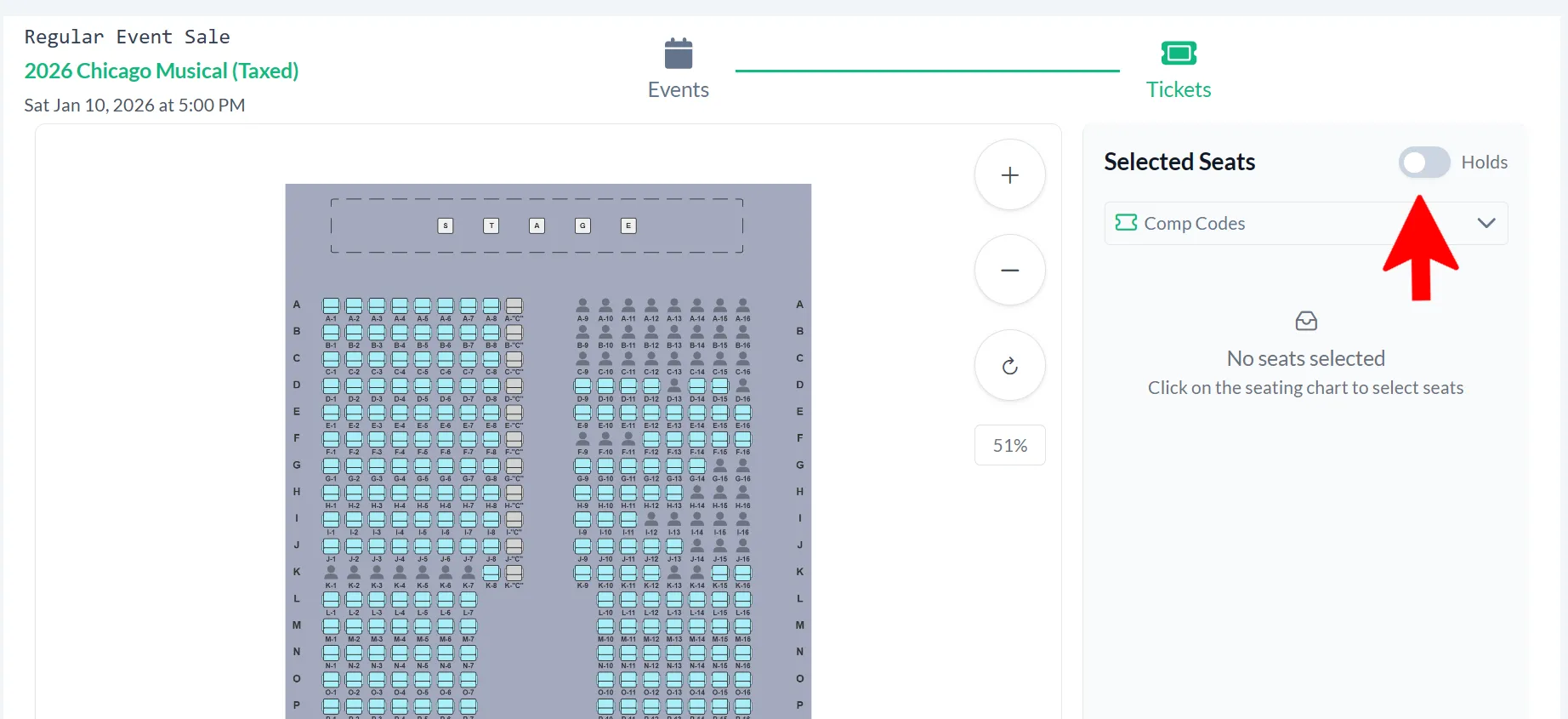
Choose the hold type from the dropdown box
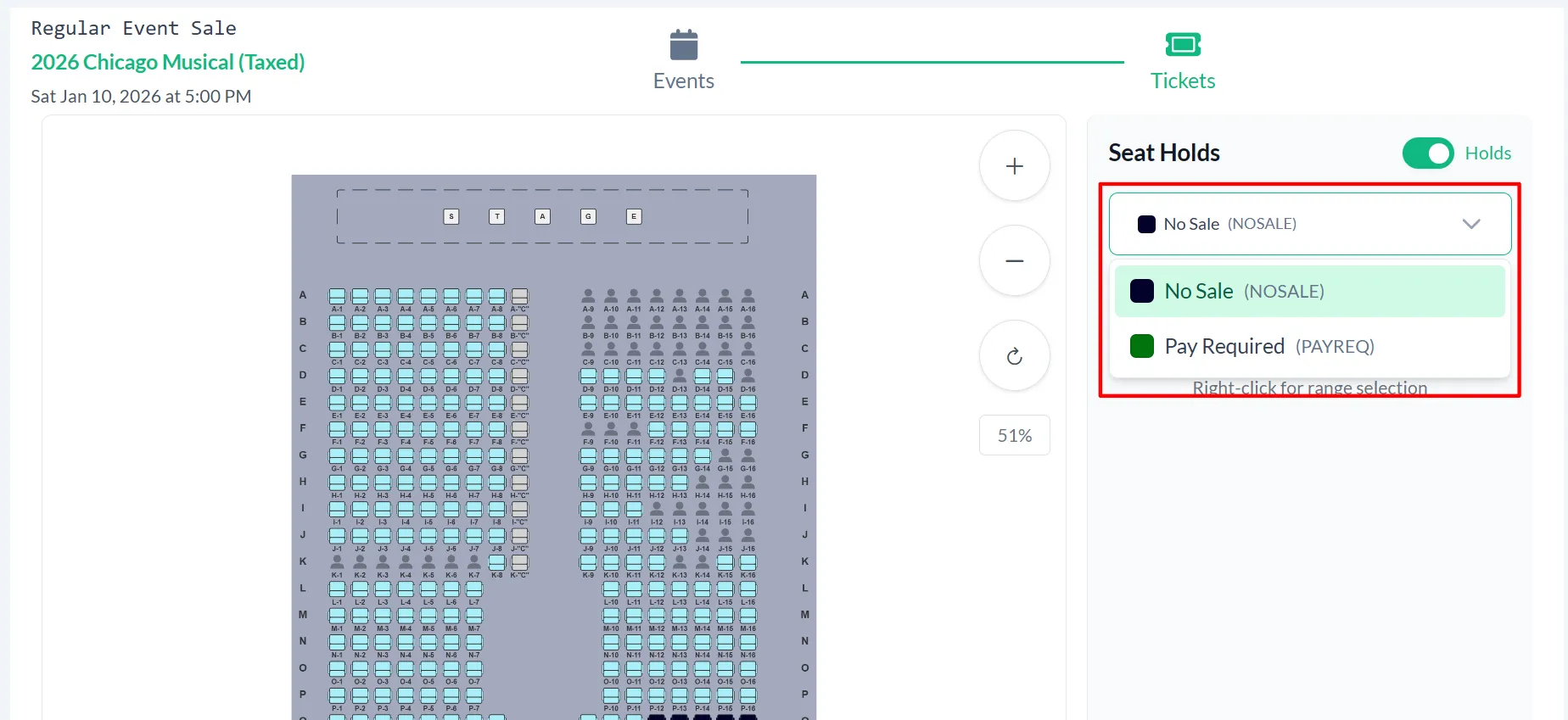
Select the seats you would like hold on the seating chart; you will see them appear in the Seat Holds box. Click “Create Holds”
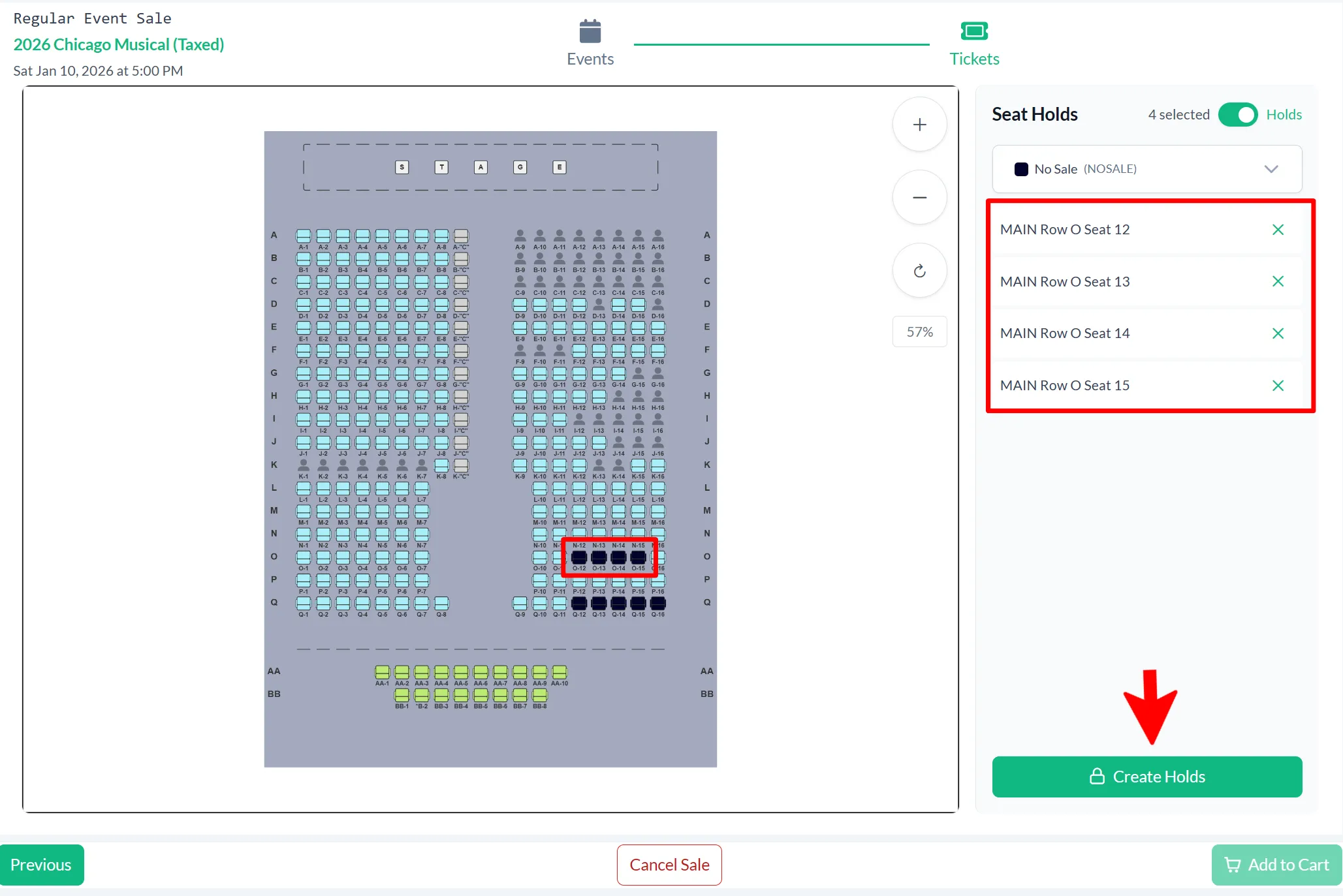
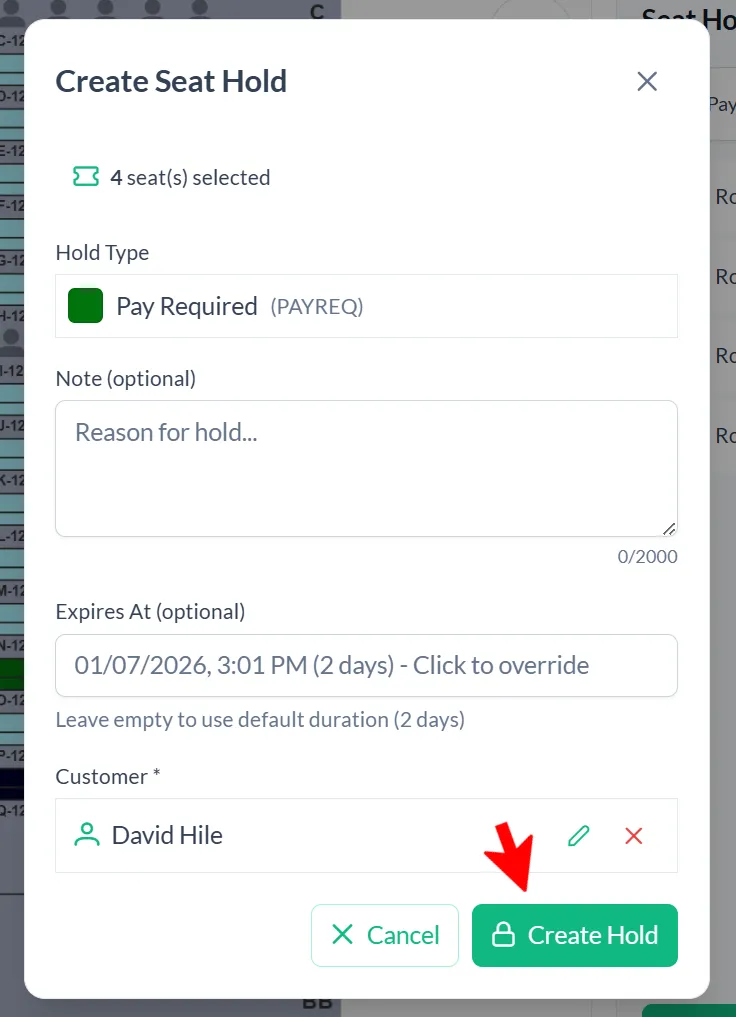
If you would like, add a note and/or customer to the hold then click “Create Hold”
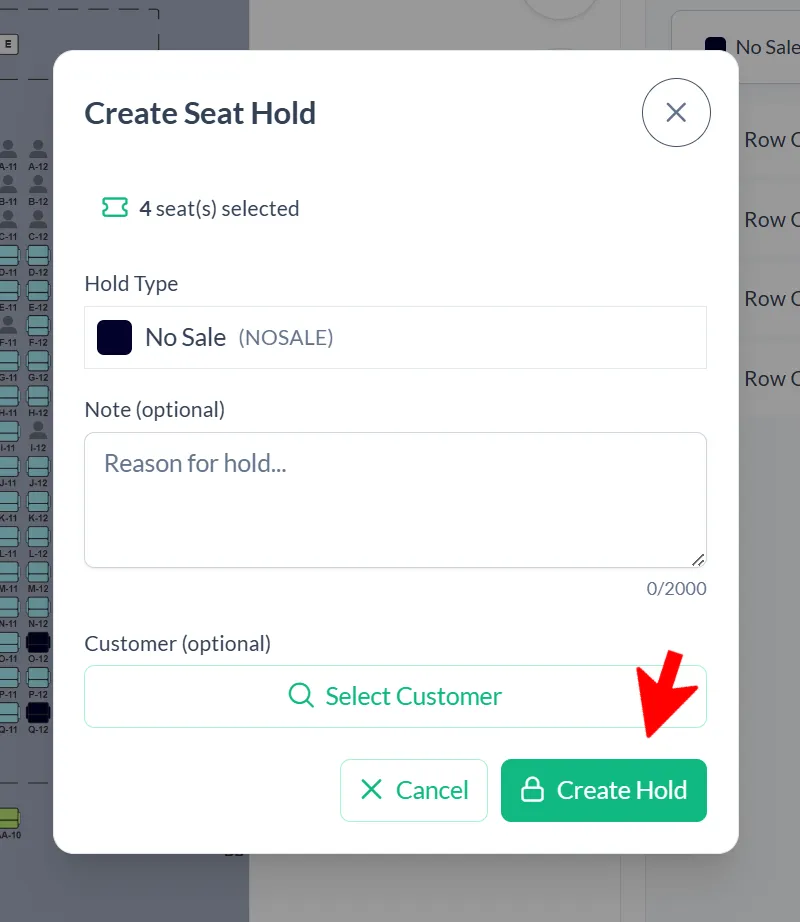
If the hold type set to auto release you will see the date/time it will release. You have the option to click on the date/time to override and choose your own
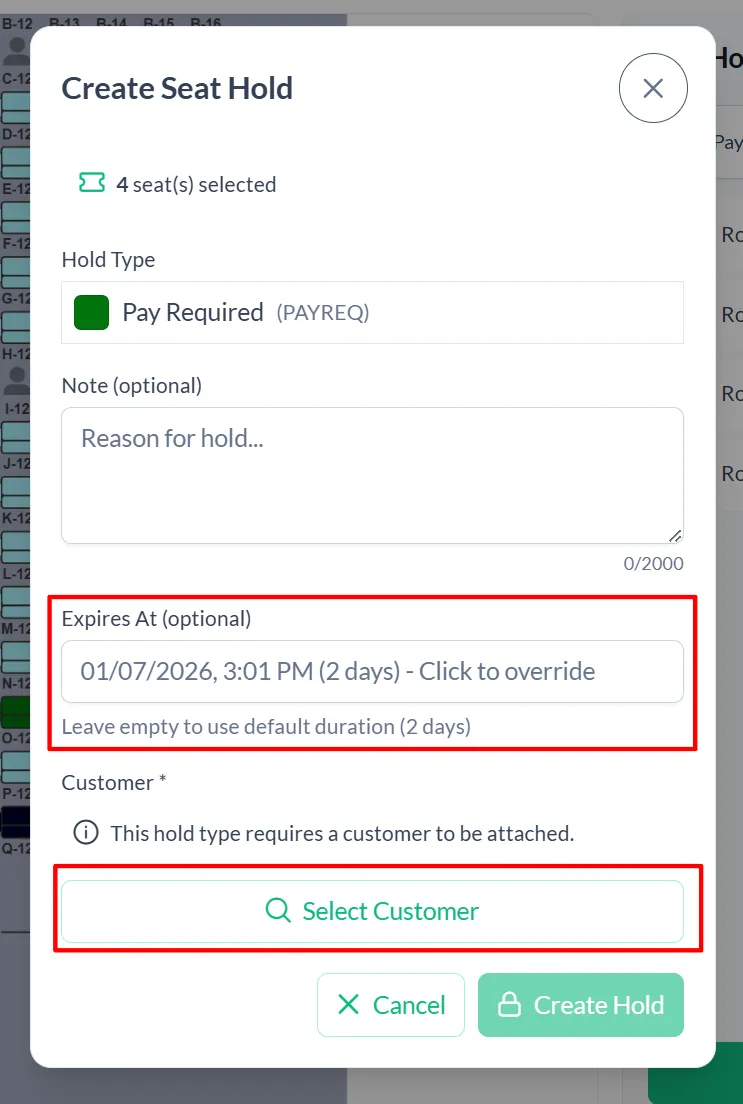
To add a customer to the hold click “Select Customer”. This will open the customer lookup screen; search and select the customer. Their name will show in the customer box. When all info is correct click “Create Hold”. When you see the held seats showing on the seating chart they are saved!
To exit, click “Yes, Cancel Sale” (this will not cancel the hold)
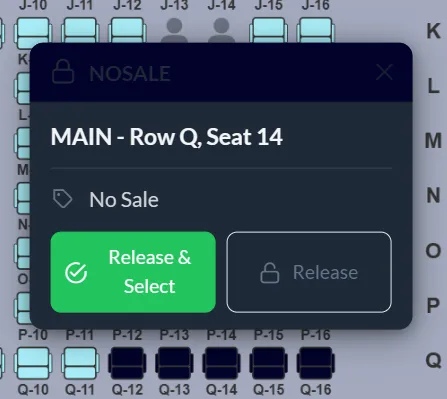
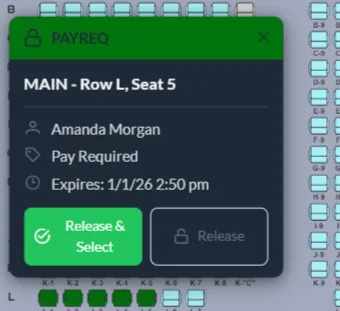
You can view the specifics of a hold by hovering over the seat
Releasing a Seat Hold
Hover over the seat and choose one of the release options: “Release & Select” or “Release”