Batch Ticket Printing
Batch ticket printing is used when you like to print tickets for a specific event all at once, instead of from each sales record.
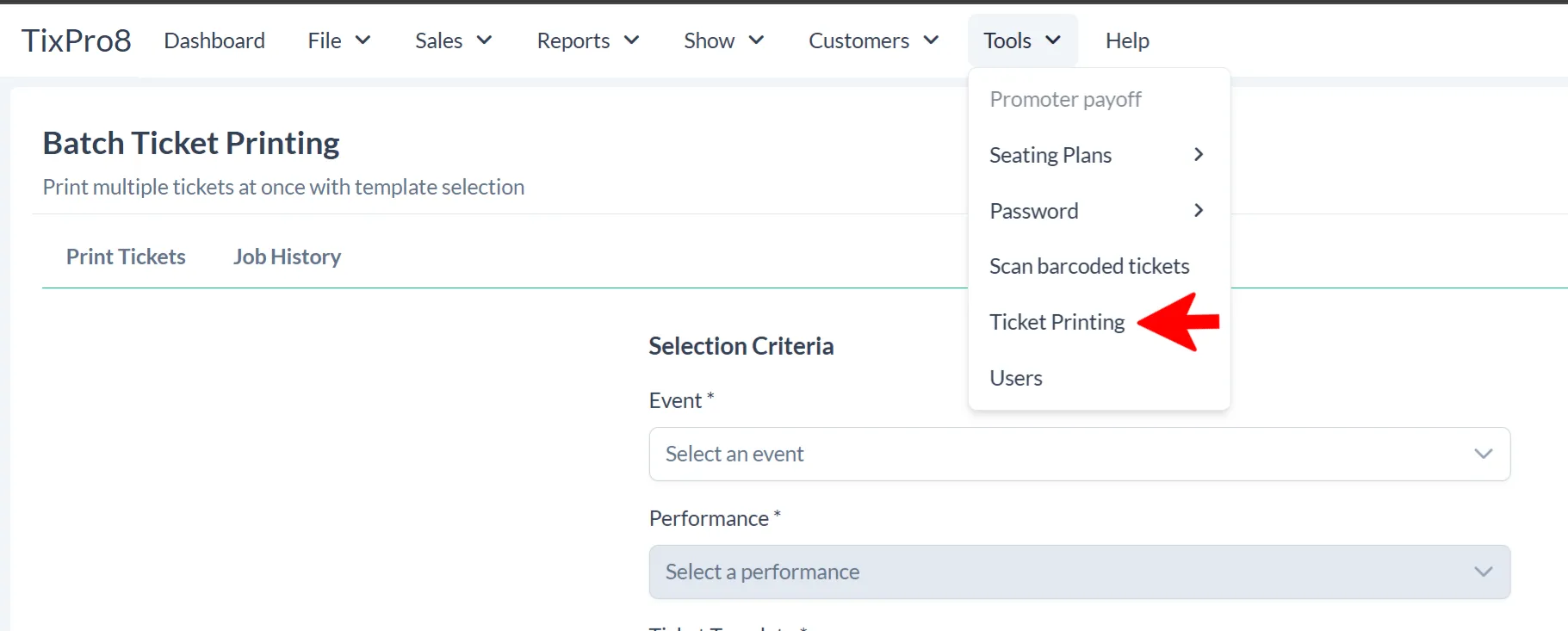
Find Batch Printing under Tools > Ticket Printing
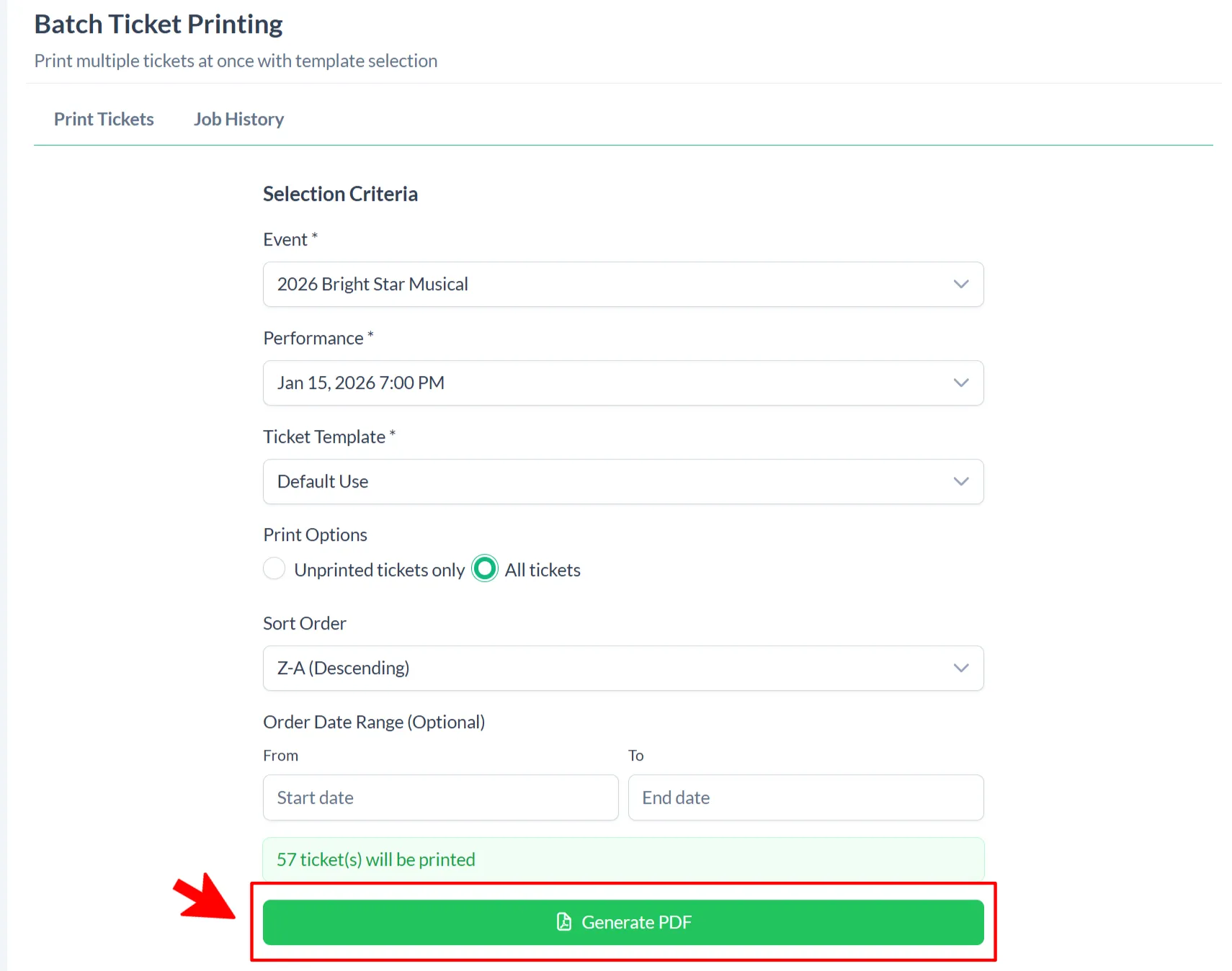
Select the Event, Performance and Ticket Template using the drop down options.
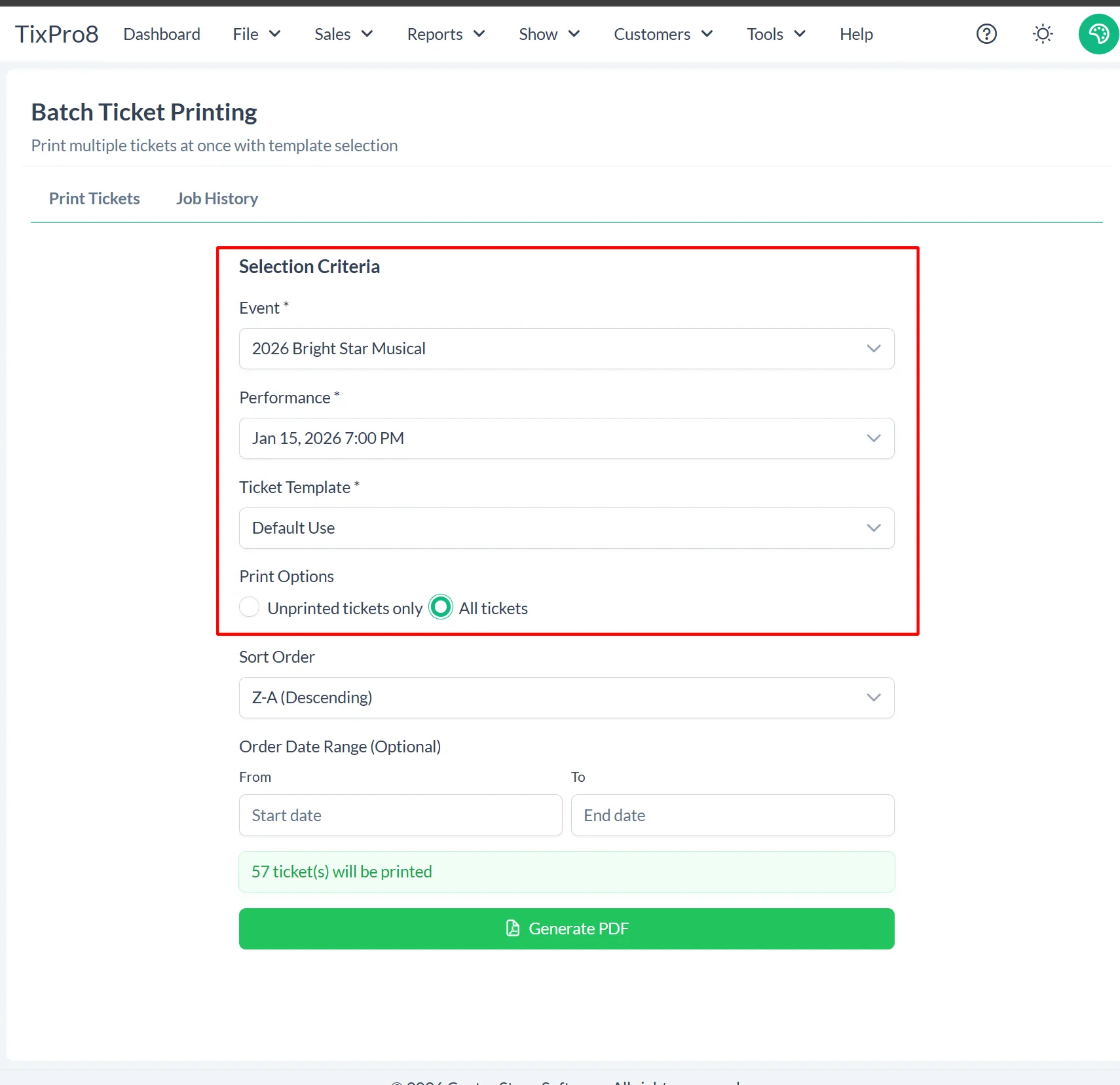
You will see the qty of tickets update that match your selections.
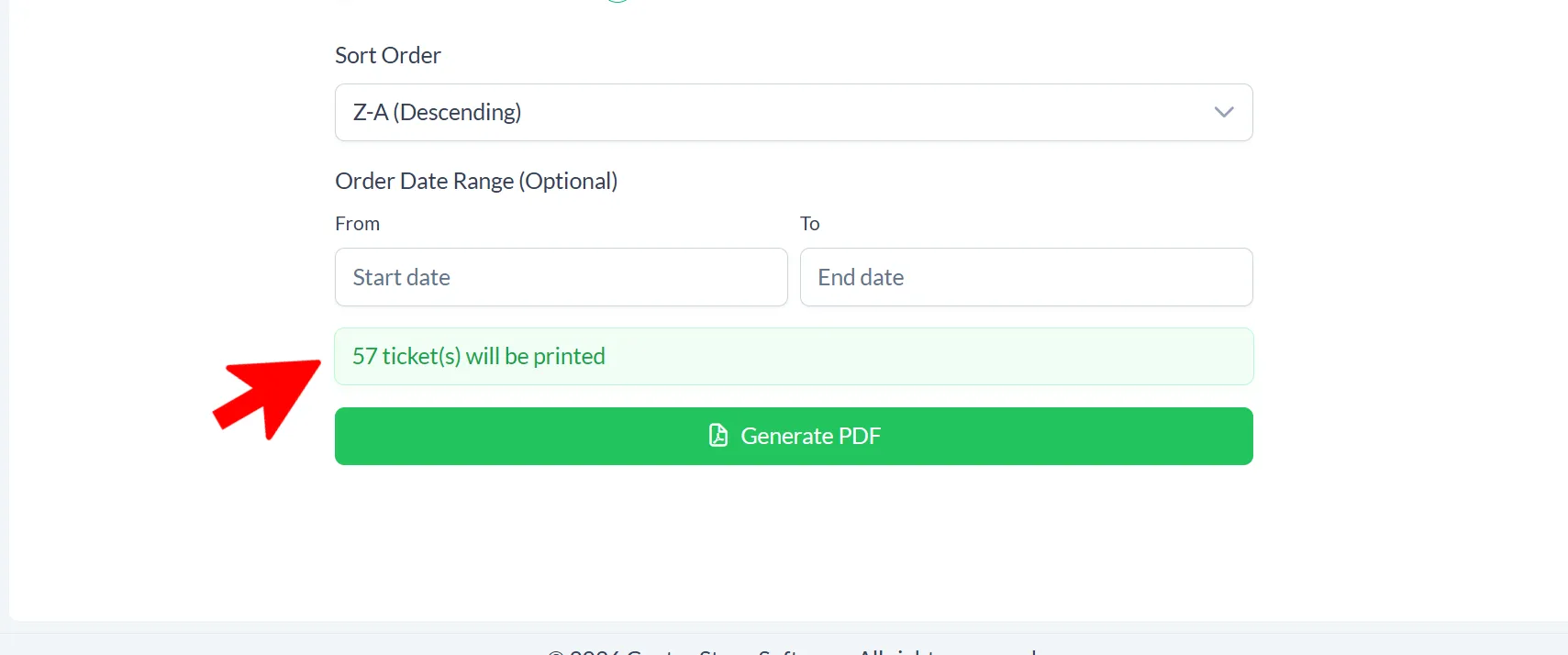
The default sort order is Z-A so that when print the tickets they will be stacked A-Z. You can change this if you’d like.
The Order Date Range is optional.
Once your selections are made click Generate PDF
Note: this will be grayed out if no tickets match your selections.
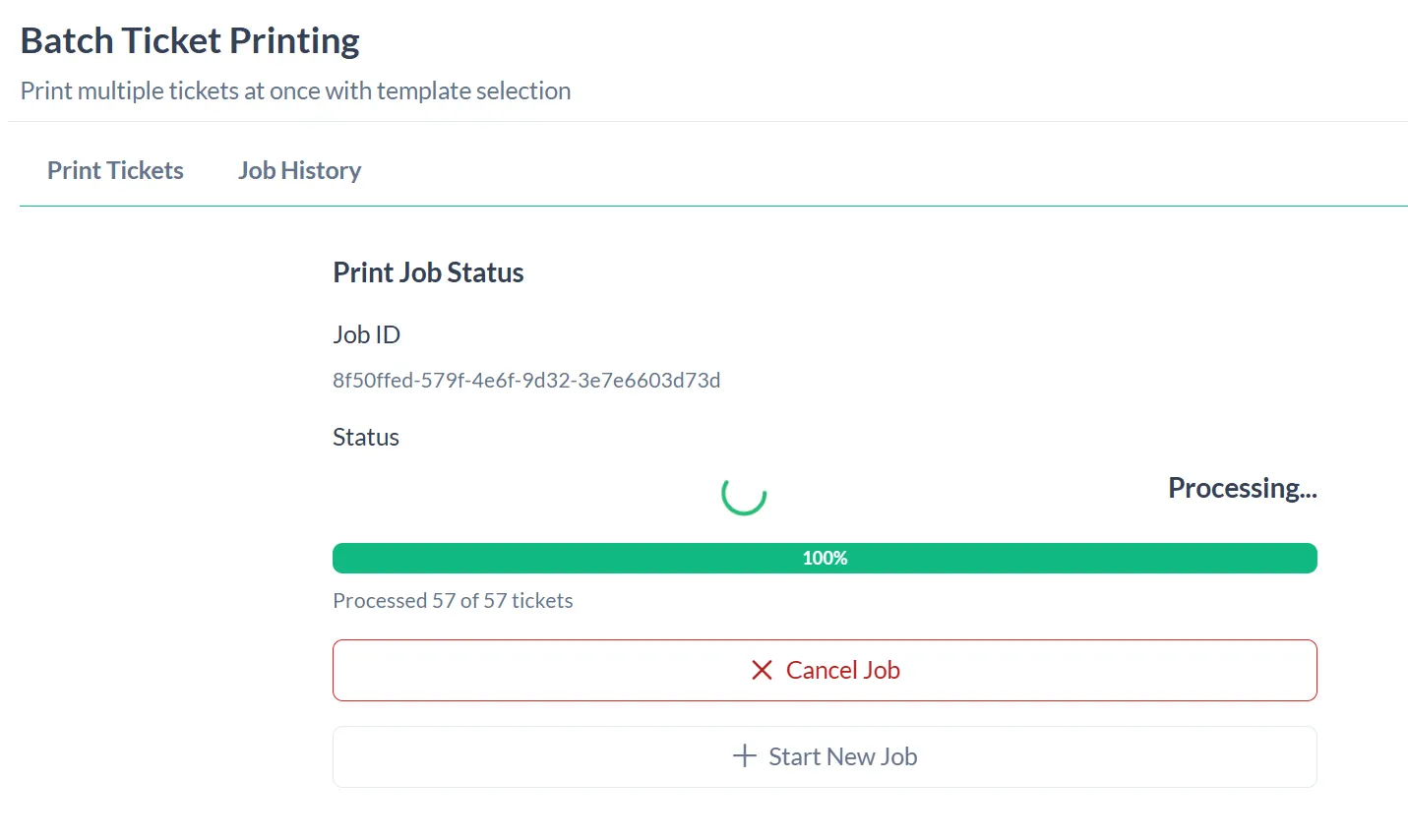
The next page will show you the progress of your job - you CAN leave this page if you do not want to wait. It will process in the background.
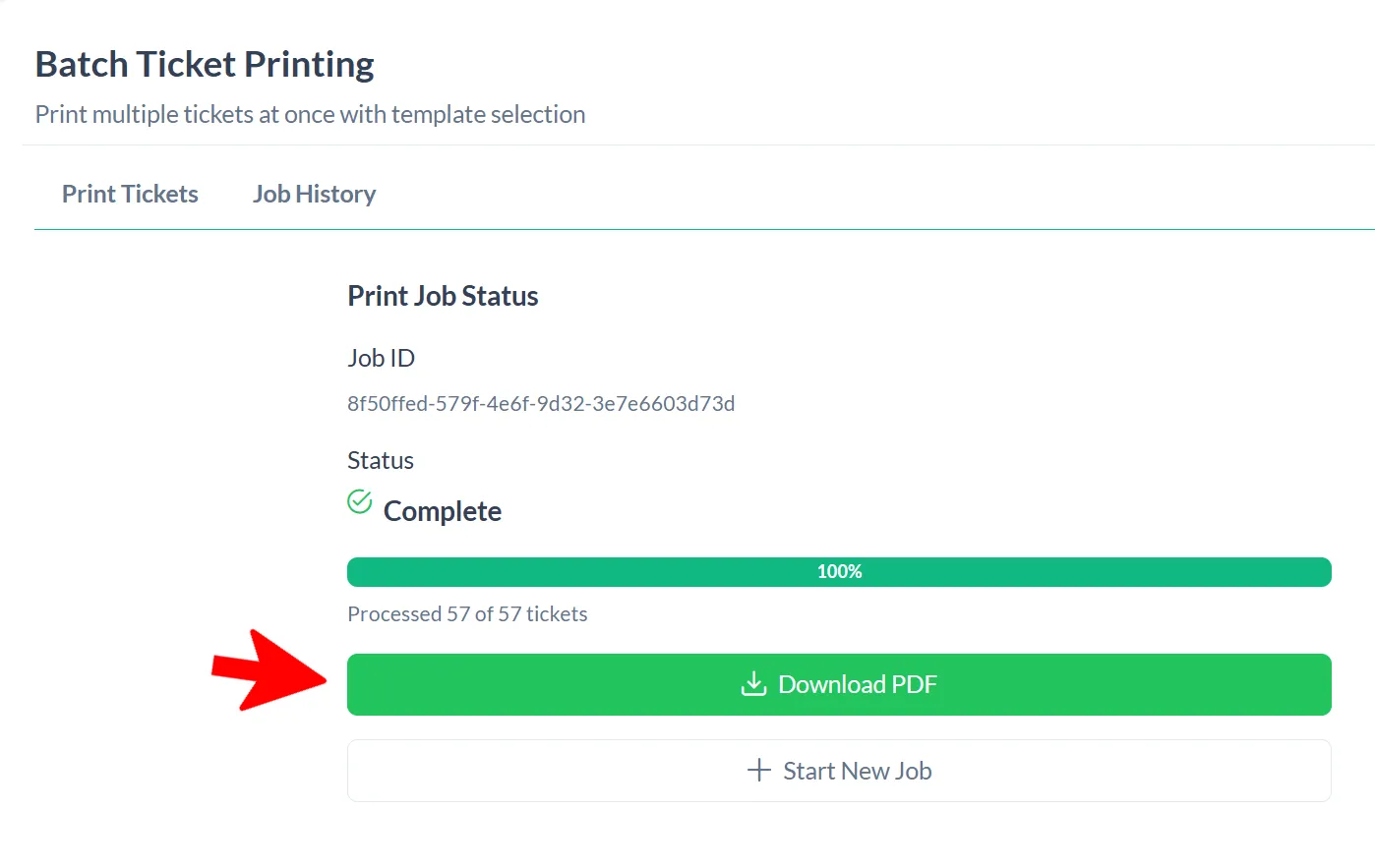
Click “Download PDF”. A PDF of your tickets will open - choose print and your ticket printer.
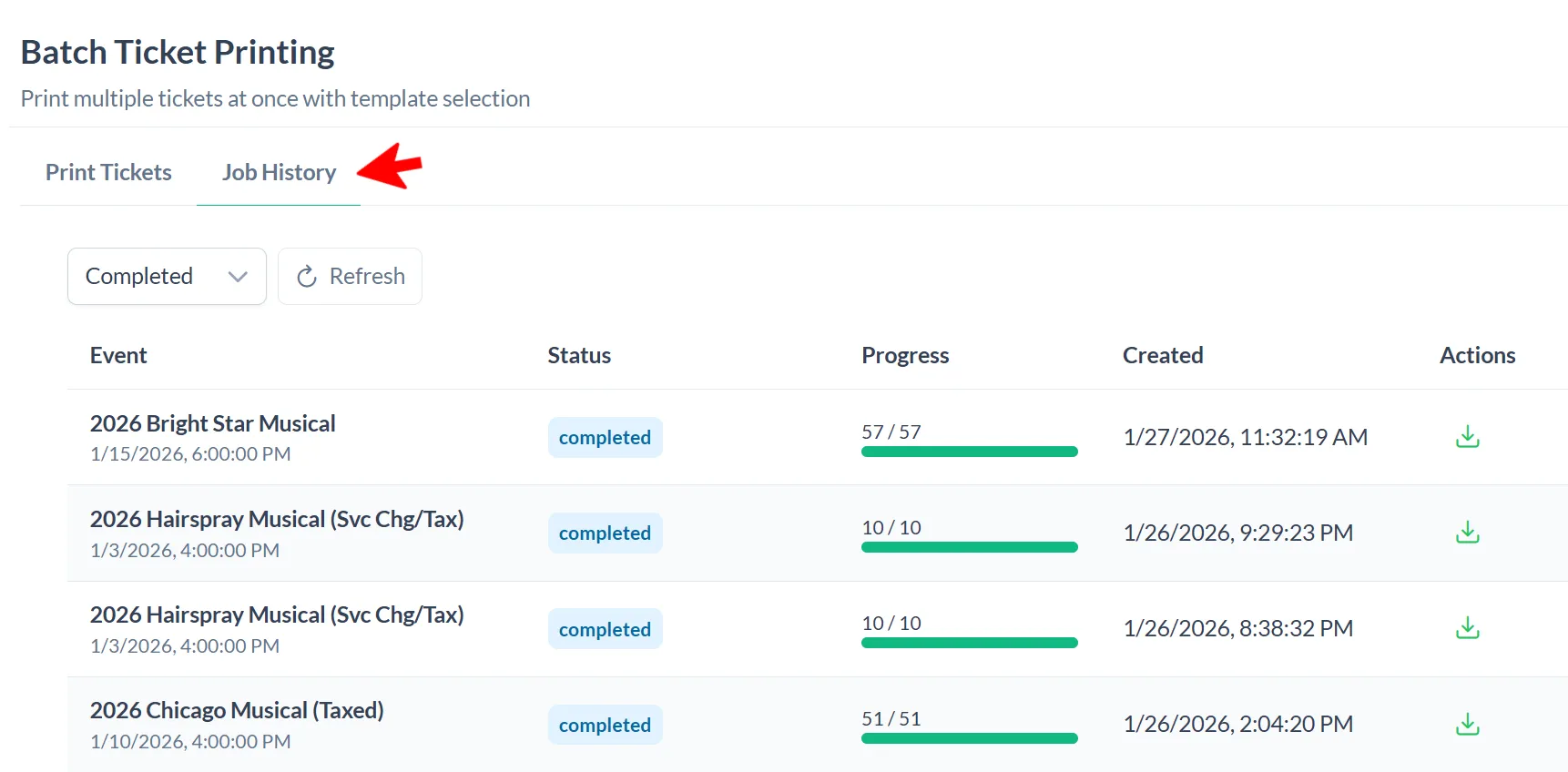
You can find the job in your Job History - jobs will only be available for 7 days.