Modifying A Ticket Format
TixPro 8 allows you to make and use as many ticket formats as you would like!
Ticket formats in TixPro 8 allow you to add color logos, images, and text to make the format your own. These color choices will show on any ticket that is emailed or printed in color. However, tickets printed to a thermal printer will still only print in grayscale.
To create or modify your ticket formats simply follow the instructions below!
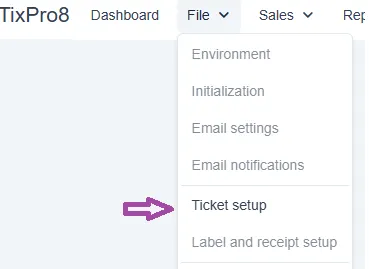
In TixPro 8 navigate to File- Ticket Setup
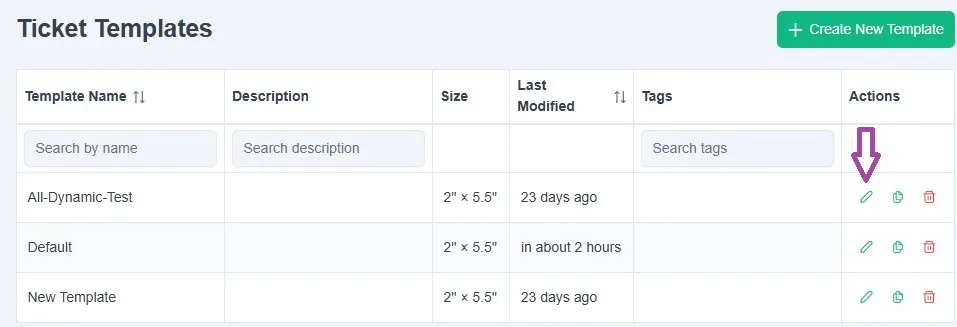
To modify a format click the edit symbol for the format you want to edit.
This opens the format editor.
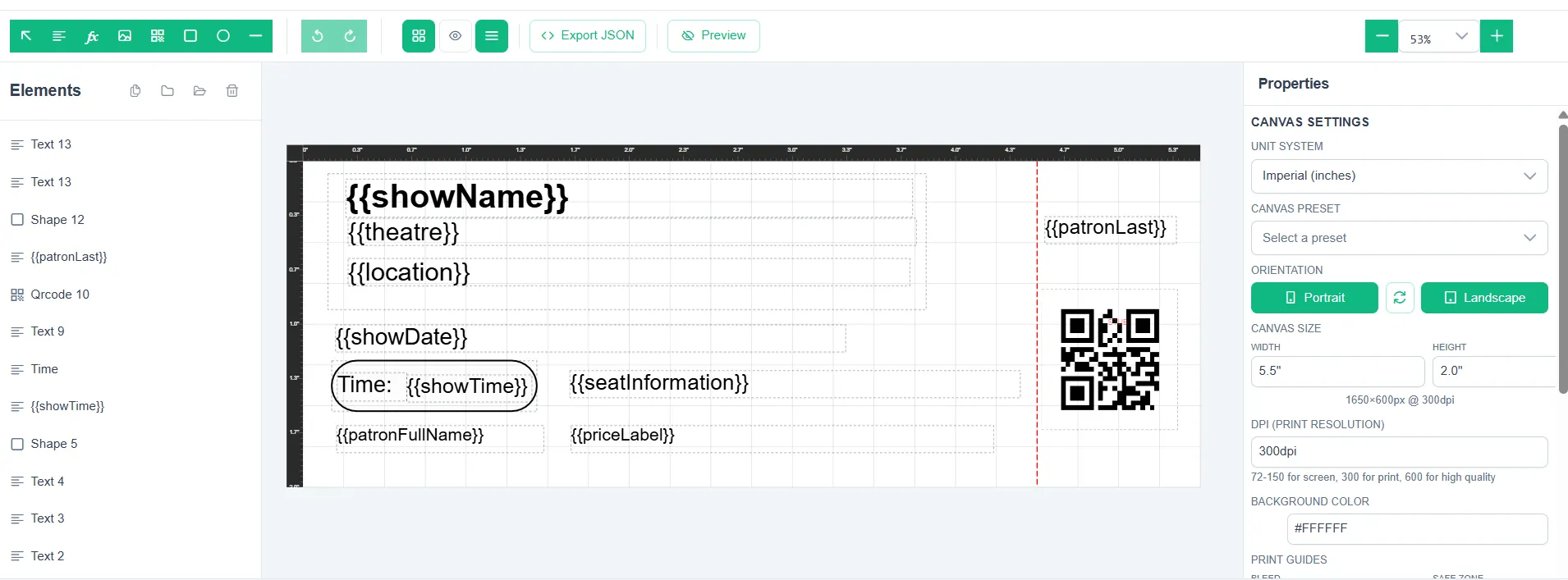
When editing your default format you will see several features automatically enabled.
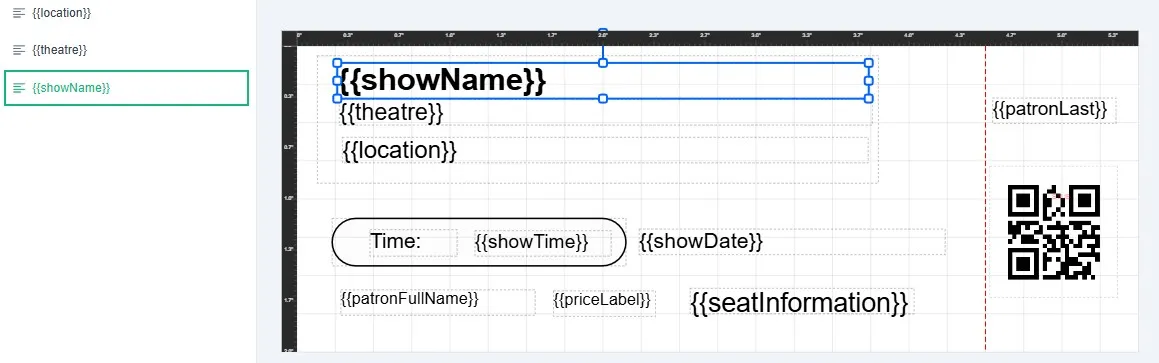
On the left-hand side is the list of the Elements that are active on the ticket format. To select a layer simply click on it.

In this example the Show Name Element is selected and the potential area it will fill is indicated by the box around it. If you have a particularily long Show Name you might want to make the space it fills bigger or reduce the size of the text.
Editing The Element/Text
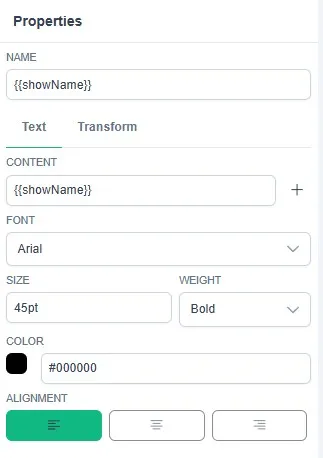
When the Element is selected the panel on the right side of the screen will change to the Properties panel. The Text properties allow you to change the Font, Size, Weight, Color, and Alignment of the text.
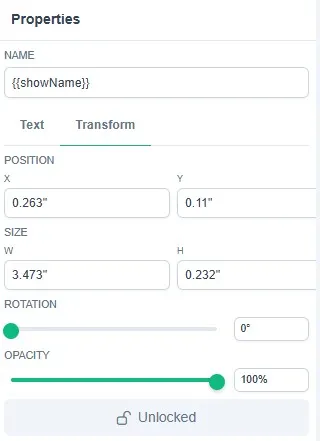
The Transform option allows you to micro adjust position and size. You can also rotate the text or reduce it's opacity.
Moving An Element
If you want to move the element just click and drag on the element and drag it to your prefered position. After you move it remember to check (edit if necessary) the text and layer size to make fit in it's new space.
Adding Dynamic Fields
If you find that you want to add a field click on the Dynamic Fields icon in the top left of the format editing window.
- A dynamic field is a field that will automatically load the information based on the event settings/purchase info
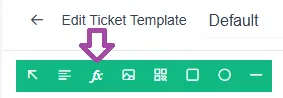
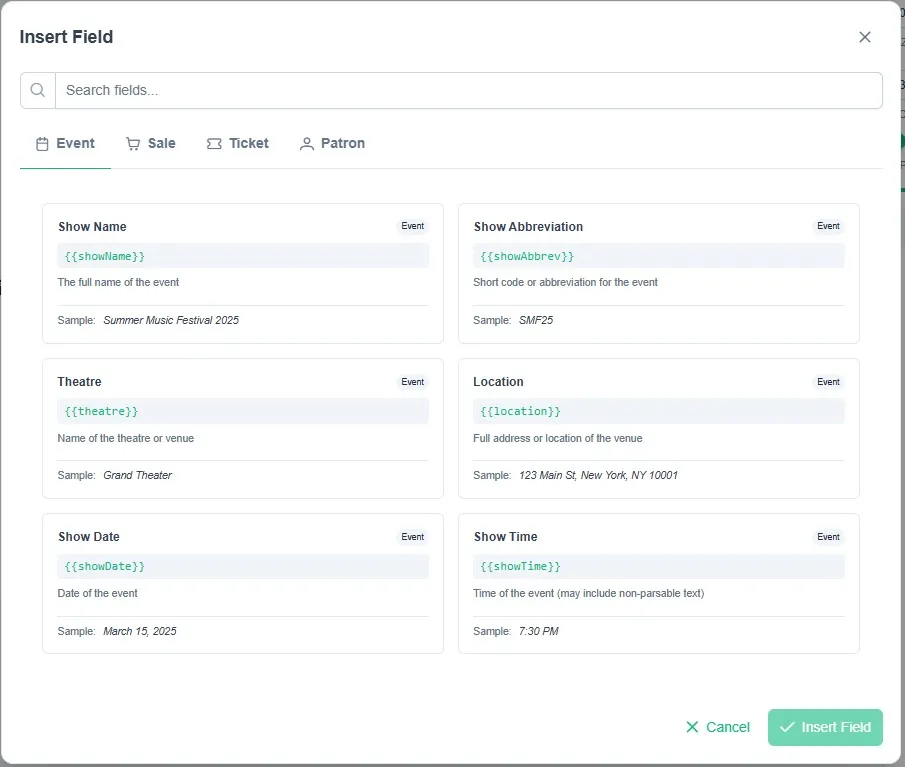
This will open the Dynamic Fields window. In this window you will see many options preloaded for easy selection. If you find that you want or need another field please reach out to us at 831-920-1254 to let us know!
Remember to Save!
When you have finished editing your format make sure that you click on Save in the upper right-hand corner!